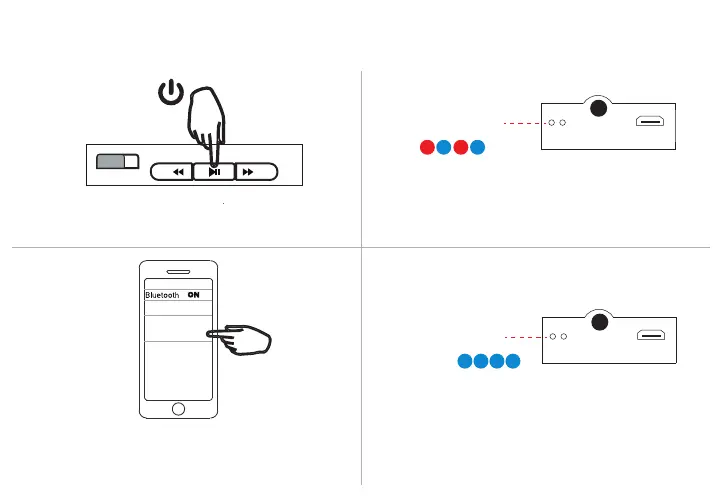
Bluetooth Pairing
1. Press and hold the Play/ Pause button for 1-2 seconds
to turn your headphones ON.
3. Go to the Bluetooth settings menu on your phone.
Make sure Bluetooth is turned on. Connect to the
available device listed as “ANC Headphone”.
2. The LED Indicator will alternately flash red and blue
to indicate your headphones are in pairing mode.
4. The LED Indicator will turn solid blue to indicate your
headphones are paired with your phone.
PRESS
& HOLD
Pairing Mode
Red and Blue:Flashing
Paired
Blue:
Solid
ON OFF
- +
ANC Headphone
Available device



 To Next Page