Home
Vivitar
Camcorder
DVR 785HD
Page 6 (Initial Camcorder Setup)
Vivitar DVR 785HD - Initial Camcorder Setup; Charging the Battery; Installing the Micro SD Memory Card
28 pages
Manual
Save Page as PDF
To Next Page
To Next Page
To Previous Page
To Previous Page
Loading...
5
Initial Camcorde
r Setup
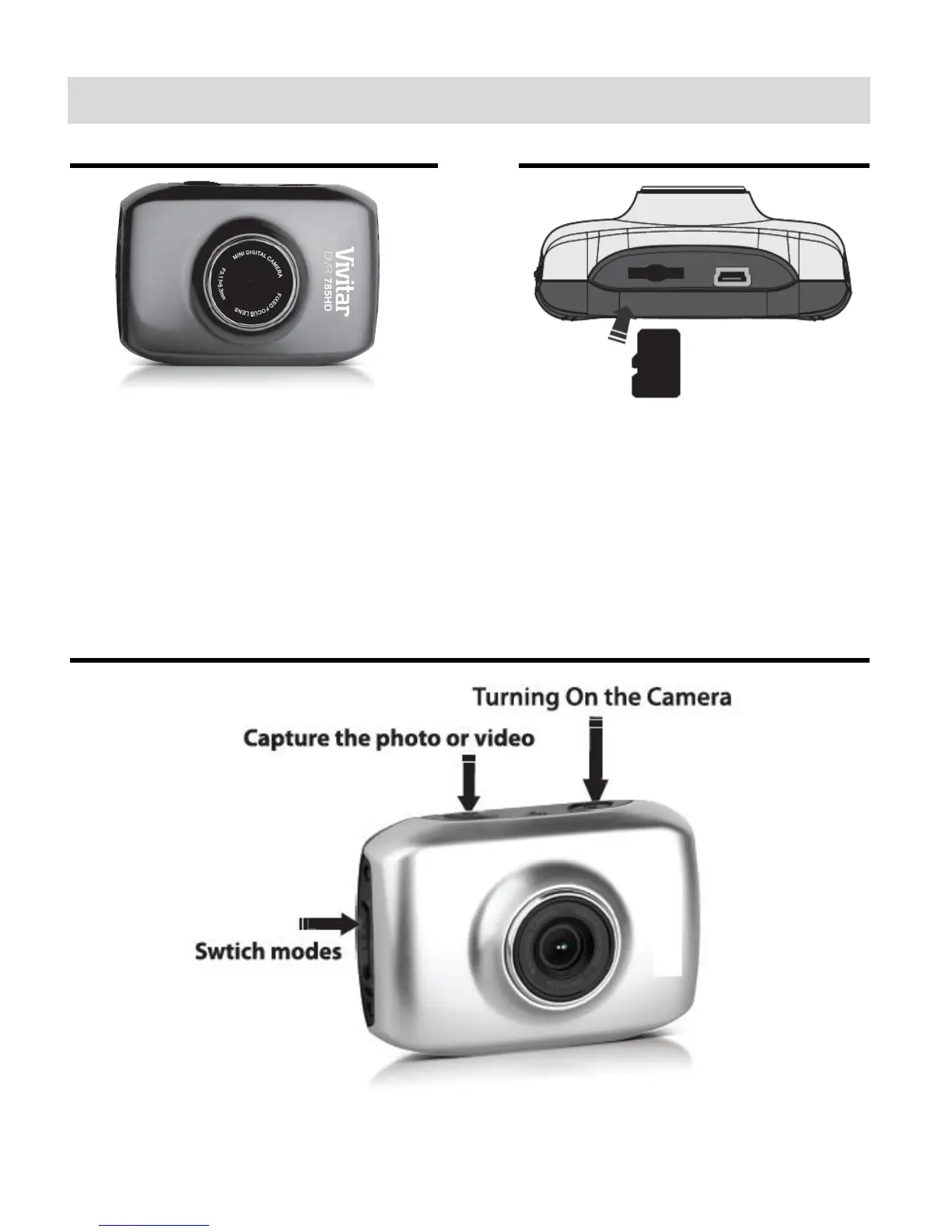
Charging the Battery
Inst
alling the Micro SD Memory Card
T
o Charge the Built-in Lithium Battery:
Use the sup
plied USB cable to co
nnect
the camcorder to the computer
’s U
SB
port or to the
A
C
Adapter
.
The charge lig
ht will turn off when the
battery is fully charged.
Micro SD Memory card (up to
32
GB)
needed for normal use.
Using the Camcorder
5
7
Table of Contents
Main Page
User Manual
1
Table of Contents
2
Introduction
3
What's Included
4
Parts of the Camcorder
5
Initial Camcorder Setup
6
Main Camcorder Modes
9
Camcorder Technical Specifications
10
Camcorder Mounts and Accessories
11
Powering on Your Camcorder
14
Video Capture Mode
15
Vehicle Mounted Video Capture Mode
16
Photo Capture Mode
18
Playback Mode
19
Computer System Requirements
21
Installing the Software
22
Connecting the Camcorder to the Computer
23
Getting Videos from the Camcorder to the Computer
24
Getting Started
25
Transferring Images Manually from the Camcorder to the Computer
25
Camcorder Maintenance
27
Sakar Warranty Card
27
Technical Support
28
Troubleshooting
28
Related product manuals
Vivitar DVR 783HD
43 pages
Vivitar DVR 787HD
36 pages
Vivitar DVR 790HD
65 pages
Vivitar DVR 794HD
37 pages
Vivitar DVR-410
32 pages
Vivitar DVR 620
27 pages
Vivitar DVR-210
58 pages
Vivitar DVR 528
67 pages
Vivitar DVR 504
24 pages
Vivitar DVR 506
66 pages
Vivitar DVR-550
67 pages
Vivitar DVR 810HD
49 pages



 To Next Page