Initial Camera Setup
Charging the Battery
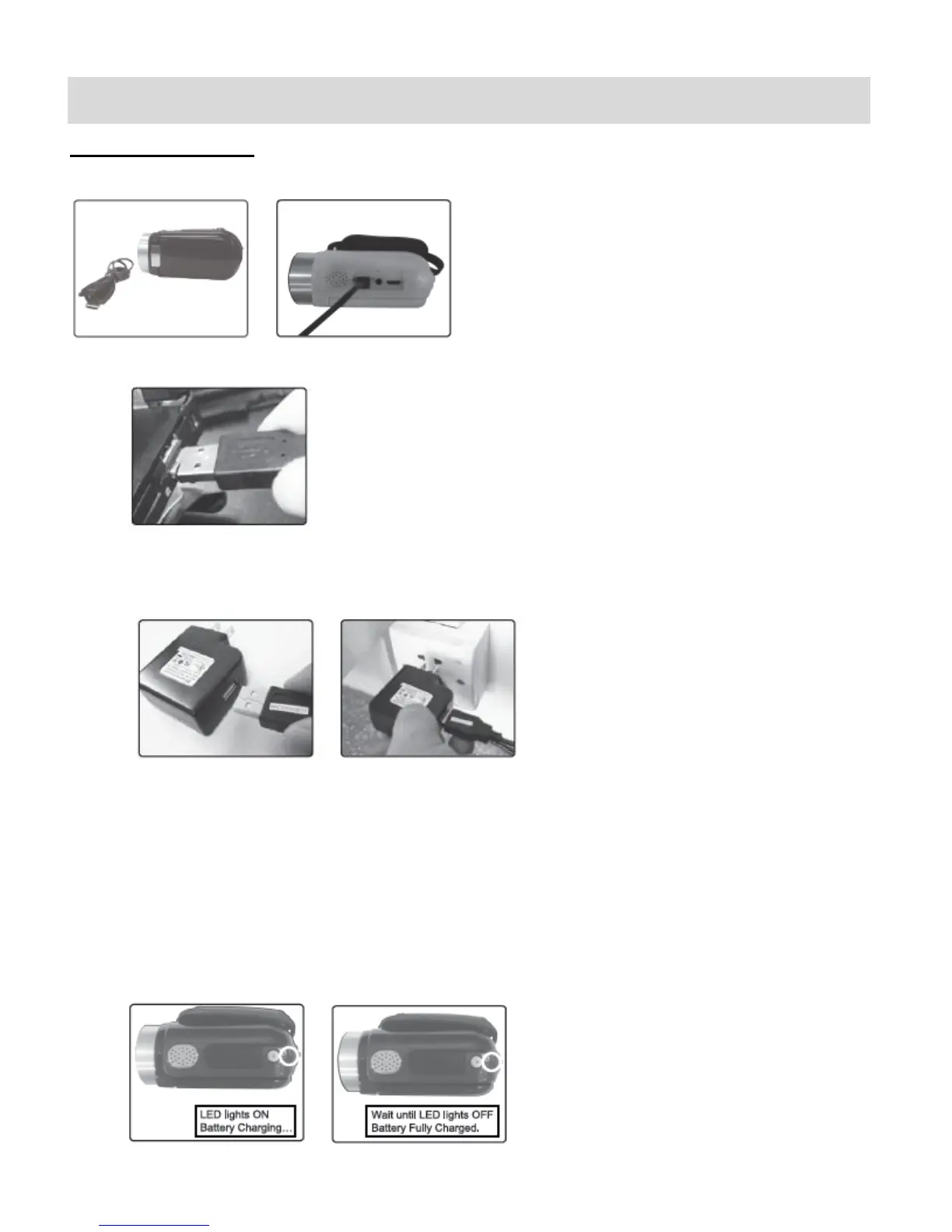
To charge your battery, first connect the USB Cable to your camera.
Then follow one of the steps below:
A)
- Connect one end of the USB cable into the USB port on your camera.
- Connect the other end of the USB cable to the USB port on your computer.
B)
Charge the battery using the USB connection cable (included) and the AC Adapter
(included).
- Connect one end of the USB cable into the USB port on your camera.
- Connect the other end to the AC Adapter and then plug the AC Adapter into a power
socket.
NOTE: While charging the battery, the LED light turns on. The battery is fully charged
when the LED light turns off.


 To Next Page