Video Capture Mode Menus
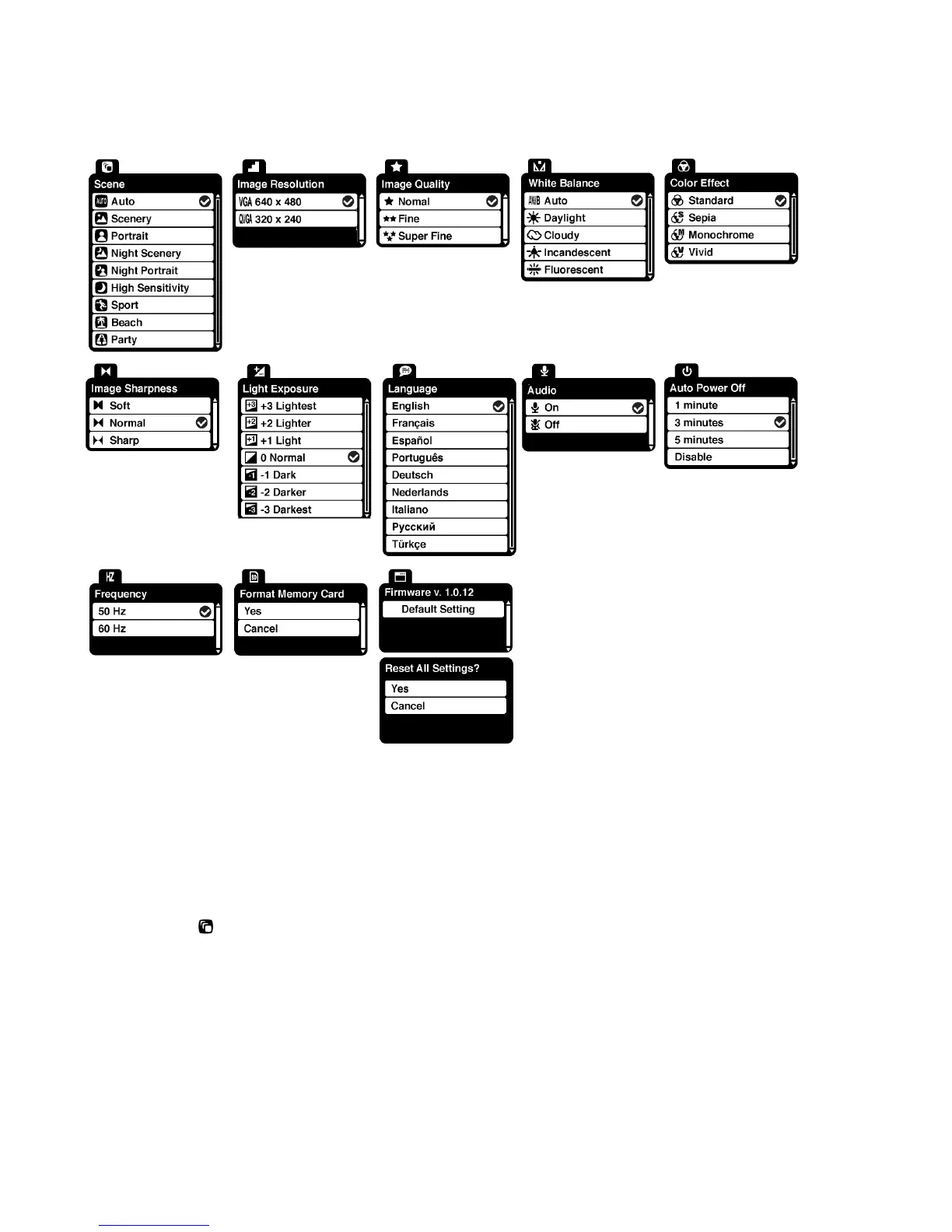
The following are the menus that appear in your camera‟s Video Capture Mode:
Scene Menu
The Scene Menu allows you to choose scene settings that allow your camera to adapt properly to
your current environment.
1) Press the SET button to open the menus for the current mode.
2) Press the LEFT or RIGHT direction control buttons to scroll and select the chosen menu.
3) Press the UP or DOWN direction control buttons to scroll through the menu options.
4) Press the SET button to select the desired option.


 To Next Page