EasyManua.ls Logo

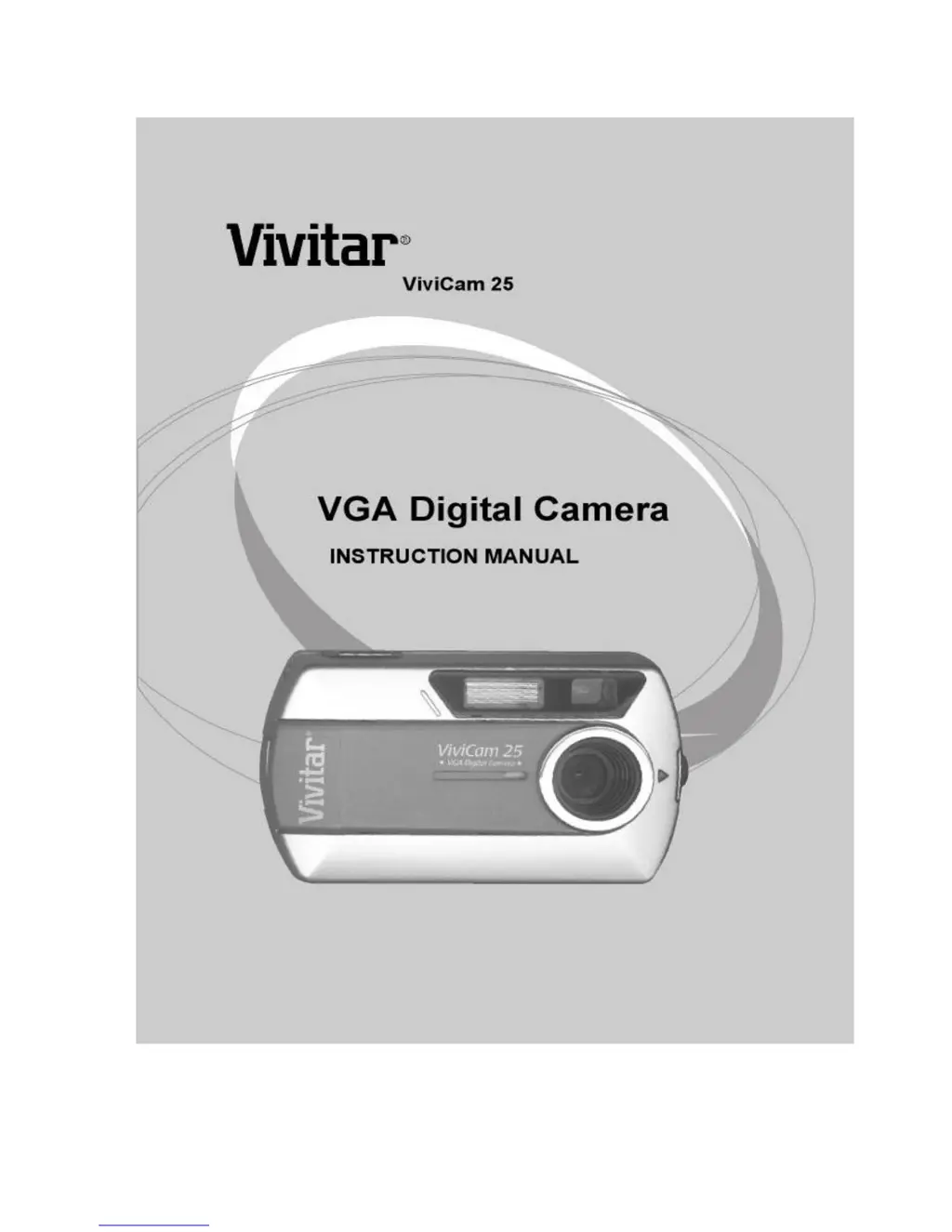
Vivitar Vivicam 25 - User Manual

Vivitar Vivicam 25
43 pages
Print Icon
To Next Page IconTo Next Page
Loading...
ViviCam 25 Owner’s Manual Rev 1
1
Rev 040602tp

Other manuals for Vivitar Vivicam 25

Questions and Answers

  • A
    Amy WagnerJul 30, 2025
    What to do if my Vivitar Vivicam 25 has no power?
    • M
      michael07Jul 30, 2025
      If your Vivitar Digital Camera has no power and the LCD is off, check the battery polarity and condition. Replace the batteries with fresh ones. If the camera is connected to a PC, ensure the USB cord is fully inserted.
  • M
    Marie MurphyAug 9, 2025
    What to do if my Vivitar Vivicam 25 won’t capture an image?
    • S
      sotocharlesAug 10, 2025
      If your Vivitar Digital Camera isn't capturing images, there might be a couple of reasons. First, check if the LCD is off; if it is, press the Mode button to power on the unit. Second, the light intensity could be too low, in that case, try using the flash.
  • B
    benjamin32Sep 10, 2025
    Why are my Vivitar Vivicam 25 Digital Camera images blurry?
    • M
      Mary BlankenshipSep 12, 2025
      Blurry images on your Vivitar Digital Camera can result from camera motion during capture. To solve this, try using a tripod to stabilize the camera. Also, avoid pointing the camera lens directly into a bright light source.

Summary

ViviCam 25 User Manual

Batteries -

Crucial information on battery installation, types, and precautions for camera operation.

Electromagnetic Compatibility (FCC) Notice

Caution

Warnings and instructions regarding shielded cables and computer equipment compatibility.

Precautions

Features of the ViviCam 25

System Requirements -

Lists the necessary hardware and software specifications for PC connectivity.

Product Contents

Arcsoft PhotoImpression -

Details the functionalities of the included image editing software.

Features and Nomenclature

Inserting the Batteries

Changing the Faceplate

Power-on the ViviCam 25

Camera Display Icons

Using Your ViviCam 25

Installing the ViviCam 25 camera driver

Downloading Images to your PC

Downloading an AVI video clip to your PC

PC camera mode

Installing Arcsoft PhotoImpression

Downloading Images with PhotoImpression

Using the PC video camera with PhotoImpression

Installing Additional Software Applications

Techniques and Troubleshooting

Techniques for Capturing Good Images

Offers advice on optimal conditions and methods for taking clear photographs.

Troubleshooting Camera Issues

Provides solutions for common problems like no power, capture errors, blurry, or too bright images.

Additional Product Specifications

Vivitar Vivicam 25 Specifications

Lens IconLens
apertureF/3
focal length (35mm film equivalent)55mm
range of focus3 feet to infinity
Camera IconCamera
white balance and exposureAutomatic
effective flash range3 to 5 feet
pc/web camera resolutionVGA/QVGA/QQVGA
Ports & Interfaces IconPorts & Interfaces
output portUSB 1.1
frame rate7 to 9 fps
windows os compatibilityWin98SE/Me/2000/XP
Weight and Dimensions IconWeight and Dimensions
dimensions3.8 x 2.1 x 1.2 inches
dimensions (metric)96 x 54 x 30 mm
weight2 ounces

Related product manuals