Need help?
Do you have a question about the Vivitek DU8090Z-WH and is the answer not in the manual?
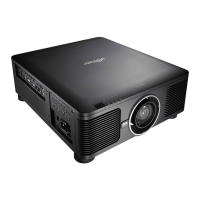
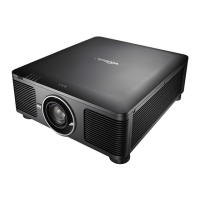
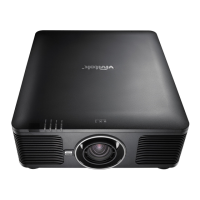
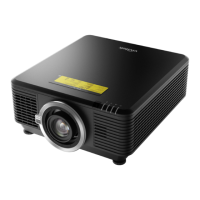
The Vivitek DU8090Z is a DLP projector designed for remote communication and control, offering a range of features for both operation and maintenance. It can be controlled via a serial interface (RS-232) using operation commands or simulated IR remote controller commands, and also through a network using a web browser or TCP/IP communication protocol.
The projector's core function is to display images and videos, with extensive control over various display parameters. Users can select input sources such as HDMI, VGA, Component/BNC, DVI, 3G-SDI, and HDBaseT. It supports Picture-in-Picture (PIP) functionality, allowing multiple sources to be displayed simultaneously, with options to adjust PIP position (Top Left, Top Right, Bottom Left, Bottom Right, or Picture-by-Picture). An auto-source feature simplifies input selection.
Image quality can be finely tuned through a comprehensive set of picture adjustments. Users can select different Picture Modes (High Bright, Presentation, Video) and adjust fundamental parameters like Brightness, Contrast, Saturation, Hue, and Sharpness. Color temperature settings (5400K, 6500K, 7500K, 9300K, Native) and Gamma curves (1.0, 1.8, 2.0, 2.2, 2.35, 2.5, S-Curve) allow for precise color calibration. Input Balance adjustments for Red, Green, and Blue offsets, as well as HSG (Hue, Saturation, Gain) controls for Red, Green, Blue, Cyan, Magenta, and Yellow, provide advanced color management capabilities. White Balance adjustments for Red, Green, and Blue gains are also available. A "Dynamic Black" feature can be enabled or disabled to enhance contrast.
For 3D content, the projector supports various 3D formats including Side-By-Side (Half), Top-And-Bottom, and Frame Sequential, with options for 3D/Eye Swap and DLP Link synchronization. Users can also adjust the 3D/Dark Time and 3D/sync delay.
The DU8090Z offers advanced image alignment and geometry correction features. Keystone correction (Horizontal and Vertical) and Rotation allow for precise image positioning. Pin/Barrel adjustments (Horizontal and Vertical) and 4-Corner adjustments (Top Left, Top Right, Bottom Left, Bottom Right for both horizontal and vertical) enable fine-tuning of image geometry, especially useful for non-standard projection surfaces. Blanking controls (Top, Bottom, Left, Right) allow users to mask off unwanted portions of the image.
Edge Blend functionality is included for seamless multi-projector setups, with options to enable/disable edge blend, adjust white levels (Top, Bottom, Left, Right), and black levels (Top, Bottom, Left, Right, All, Red, Green, Blue). A reset function is available for edge blend settings.
Lens control is a significant feature, allowing for motorized Zoom (in/out), Focus (near/far), and Lens Shift (up/down/left/right). The projector also supports lens memory, enabling users to save and recall up to 10 different lens settings, which is convenient for various screen sizes or throw distances. A "lens.center" command allows resetting the projection lens to its center position.
Digital Zoom and Digital Scan features provide additional flexibility for image sizing and positioning, with options to pan the digitally zoomed image.
The projector includes various control settings such as language selection, projection mode (Front, Ceiling + Front, Rear, Ceiling + Rear, Auto), cooling condition (Front, Ceiling + Front, Freetilt, Auto), and altitude mode. Auto Power Off and Auto Power On features contribute to energy efficiency and convenience.
For network integration, the projector supports DHCP or manual IP address configuration, along with settings for Subnet Mask, Gateway, and DNS Server. It can display its MAC Address.
The DU8090Z also offers a "Test Pattern" function with various patterns (White, Black, Red, Green, Blue, Checkboard, CrossHatch, V Burst, H Burst, Color Bar) for calibration and setup.
The DU8090Z is designed for flexible deployment and ease of use in various environments. Its remote communication capabilities allow for control from a distance, making it suitable for installations where direct access to the projector is limited.
The serial interface (RS-232) provides a robust method for integrating the projector into control systems, using ASCII characters for commands. This allows for custom programming and automation of projector functions. The simulated IR remote controller commands offer an alternative for systems that mimic IR remote functionality.
Network control via a web browser provides a user-friendly graphical interface to manage power, input selection, and lens adjustments. This is particularly useful for quick adjustments without specialized software. The TCP/IP communication protocol allows for more advanced network integration, enabling control through terminal connection software like Tera Term, using the same RS-232 commands over the network.
The ability to save and load lens memory settings simplifies setup for different projection scenarios, reducing manual adjustments. The extensive image adjustment options ensure optimal picture quality regardless of the content or ambient lighting conditions.
The projector's "Standby Power" setting allows users to balance power consumption with remote control availability. Setting it to "On" enables RS-232 and LAN control, while "Off" reduces consumption to less than 0.5W, disabling remote control.
The DU8090Z includes features that aid in monitoring and maintaining the device. The "Projector Status" page on the web interface provides real-time information such as model, software version, power status, current input, laser status (including runtime), projection mode, high altitude setting, and various temperature readings (Intake, DMD, Laser). It also displays a "Diagnostic Status" message, indicating any errors. This information is crucial for troubleshooting and proactive maintenance.
The "Alert Mail Setup" feature allows the projector to send email notifications in case of abnormalities, enabling prompt intervention by maintenance personnel. Users can configure SMTP server details, recipient addresses (To, CC), sender information, and a custom projector name and location for easy identification. A "Send Test Mail" function verifies the email settings.
The "Light Time" (laser.hours) command provides the total operating hours of the laser light source, which is important for tracking usage and planning for potential service intervals. A "Factory Reset" command is available to restore all settings to their default values, which can be useful for troubleshooting or preparing the projector for a new installation.
The "Noise Reduction" setting can be adjusted to optimize image quality, potentially reducing visual artifacts and contributing to a better viewing experience, which can be part of routine maintenance checks.
Overall, the Vivitek DU8090Z is designed to be a versatile and manageable projector, offering comprehensive control and monitoring capabilities for various professional applications.
 General
| Brightness | 8, 000 ANSI Lumens |
|---|---|
| Resolution | WUXGA (1920 x 1200) |
| Light Source | Laser |
| Native Aspect Ratio | 16:10 |
| Lamp Life (Normal) | 20, 000 Hours |
| Display Type | DLP |
| Max. Supported Resolution | 4K UHD (3840x2160) |
| I/O Ports | HDMI, DisplayPort, VGA, USB, RS-232 |
| Input Connectors | HDMI, DisplayPort, VGA |
| Output Connectors | VGA |

 To Next Page