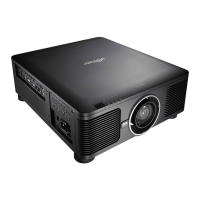
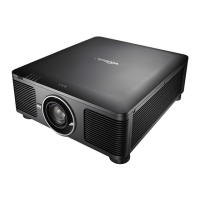
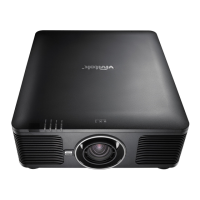
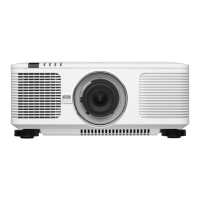
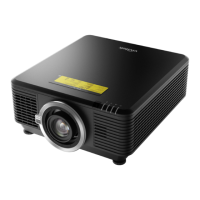
DU8395Z Series DLP Projector - User Manual
UM83950922EN01
2
Index
Copyright 4
Copyright 4
Disclaimer 4
About the Manual 4
Important Safety Guidelines 5
Safety Notication 5
WARNING TO CALIFORNIA RESIDENTS: 5
NOTIFICATION (CANADA) 5
CE NOTIFICATION 5
FCC NOTIFICATION 5
LIGHT MODULE 6
LASER SAFETY NOTIFICATION AND CAUTION 6
Laser Parameters 6
Product Label 6
Hazard Warning Symbol and Aperture Label 6
Inallation and Use Notices 7
Disposal of Old Electric and Electronic Equipment 7
Important Recycling Inructions 7
Introduction 8
Packing Checkli 8
Projector Overview 9
Front-right View 9
Rear-right View 9
Bottom View 10
IO Panel 11
Control Panel 12
Remote Control 13
Remote Control Operating Range 14
Inallation and Setting up 15
Inserting or Changing the Remote Control Batteries 15
Inalling the projector 16
Precautions for Inallation 16
Mounting the projector 17
Inalling or Removing the Optional Lens 18
Inall New Lens 18
Removing the Exiing Lens 19
Selecting the Input Voltage of AC Power 20
Connecting to AC Power Supply 20
Turning on the Projector 20
Turning o the Projector 21
Setting up the inallation condition 22
Setting up the Projection Mode 22
Adjuing Projected Image Position 23
Adjuing the Focus and Zoom 23
Adjuing Geometric Diortion 24
Keyone 24
Rotation 25
Pincushion / Barrel 25
Arc 26
Corner Adjument 27
Top Left Corner 27
Top Right Corner 27
Bottom Left Corner 28
Bottom Right Corner 28
Preventing the Unauthorized Use of the Projector 29
Using the Control Panel Lock 29
Locking the control buttons 29
Unlocking the control panel 30
Using Security Lock 30
Enable the Security Lock 30
Unlocking the projector 31
Using Control ID for Multi-projector Application 32
Step1: Set the Projector identication number 32
Step2: Set the identication number of remote control 33
Erase the identication number of the remote control 33
Checking the identication number of the projector and re-
mote control 34
I/O - Connecting 35
Connecting to Personal Computer 35
Connecting to the Video Device 35
Connecting to the Control Equipment 36
HDBaseT/LAN (Network control) 36
RS-232 (RS-232 control) 36
Wired remote control 36
3D Sync Out/In 36
Connecting to the Screen Trigger 37
Connecting to external HDBaseT Transmitter 38
Using the projector 39
Using On-Screen Display 39
Using the OSD Menu 39
Navigating the OSD 39
Menu Tree 40
INPUT 40
PICTURE 40
ALIGNMENT 41
CONTROL 42
SERVICE 42
OSD Menu – INPUT 43
Input Selection 43
PIP 44
Position 44
Auto Source 44
Color Space 45
Aspect Ratio 45
Overscan 45
VGA Setup 45
Te Pattern 45
3D 45
Auto Sync 46
OSD Menu – PICTURE 47
Picture Mode 47
Brightness 47
Contra 47
Saturation 47
Hue 47
Sharpness 47
Color Temperature 47
Color Gamut (Цветовая гамма) 48
Gamma 48
Input Balance 48
HSG 48
Noise Reduction 48
Dynamic Black 48
Light O Timer 48



 To Next Page