To recall Location 2, press and release the button, then press
the button. After the buzzer sounds once, the TV ceiling
mount will automatically adjust to Location 2.
Reca Memory
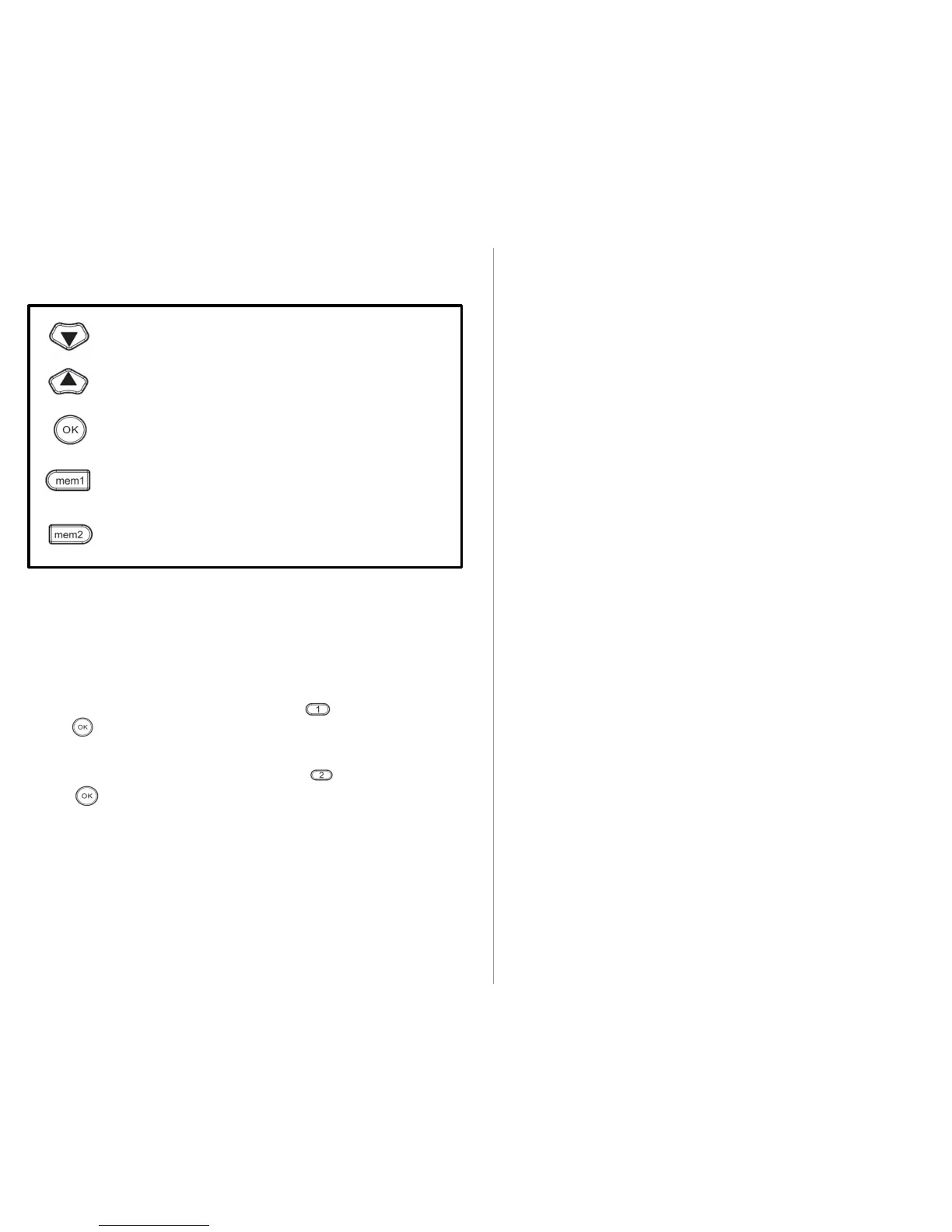
BUTTON FUNCTIONS
Downward movement
Upward movement
Memory button 1: Press and hold for 5 seconds, the
buzzer will beep twice. Location 1 is saved.
Memory button 2. Press and hold for 5 seconds, the
buzzer will beep twice. Location 2 is saved.
Stop button
To recall Location 1, press and release the button, then press
the button. After the buzzer sounds once, the TV ceiling
mount will automatically adjust to Location 1.
2
MINIMUM POSITION: To adjust TV mount to minimum position
(resting against the ceiling), simply give it a slight push. The mount
will automatically return to minimum position.
Manua Position Adjustment
MAXIMUM POSITION: To adjust TV mount to maximum position
(lowered completely), follow above instruction to return it to
minimum position. Once in the minimum position, give it a slight
push. The mount will automatically lower to maximum position.
LARN MOD Operatin Instructions
The TV ceiling mount will become unusable if the remote is
lost, so a TV remote may be programmed to control the
mount as a backup in case the original remote is lost (ONLY
works for IR type remotes from popular brands; compatibility
with all remotes is not guaranteed).
NOTE:
TV remote can't operate all functions of the original remote
control. Only basic UP, DOWN, and STOP functions will be
available.
Please follow the steps below when using a TV remote to
control the ceiling mount. Select alternate buttons from the
TV remote that do not directly control the TV.
If you need to erase all learned functions, press and hold ( 1 )
for 4 seconds on the original remote and repeat 5 times. If
the functions are not erased, any new button function learned
will overwrite the last function learned.



 To Next Page
 Loading...