6
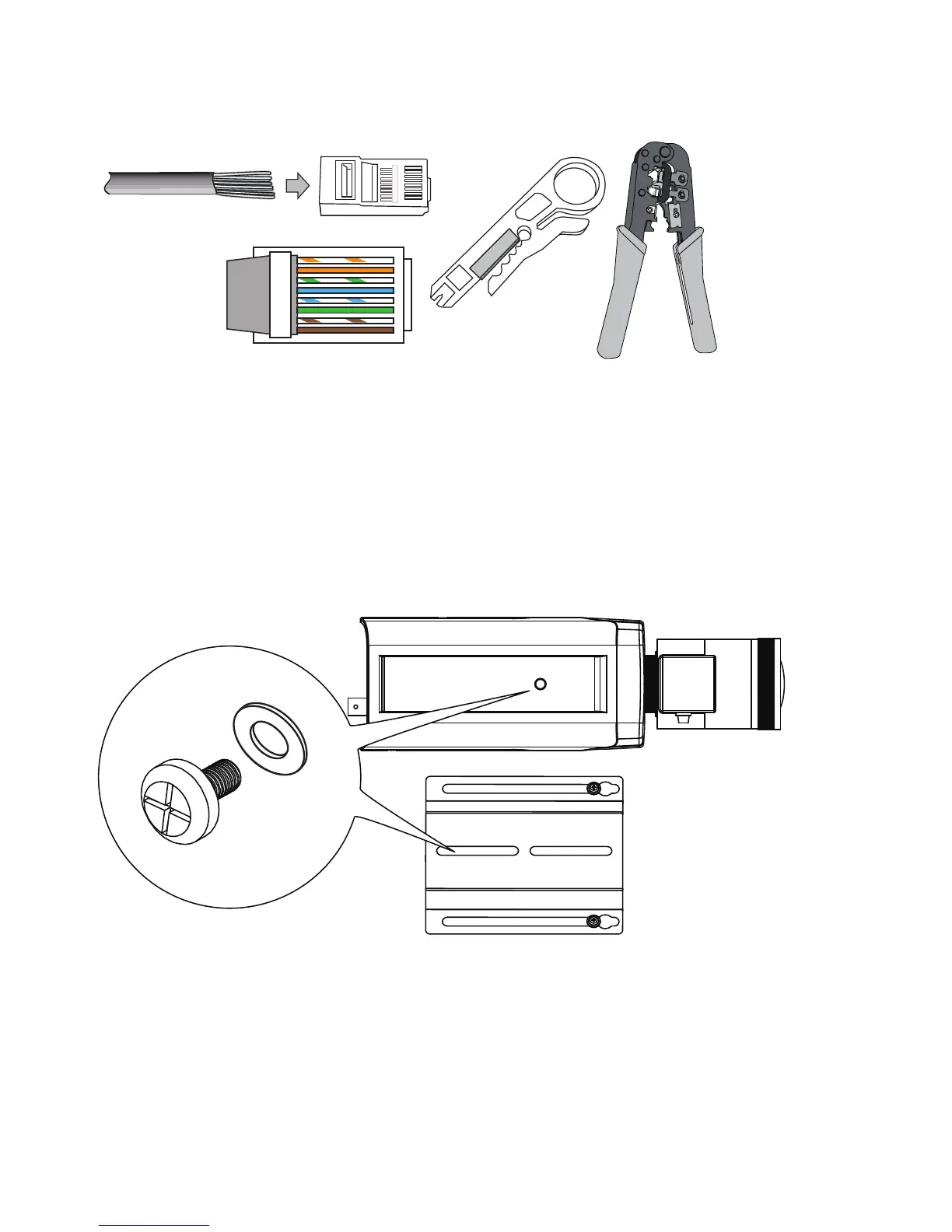
o
O
g
B
b
G
br
BR
1
2
3
4
5
6
7
8
o: white/orange stripe
O: orange solid
g: white/green stripe
B: blue solid
b: white/blue stripe
G: green solid
br: white/brown stripe
BR: brown solid
You may need to remove the RJ45 connector, and use a crimping tool to connect the
Ethernet wires to an RJ45 connector inside the enclosure. Use an Ethernet cable of the
width of 5 ~ 6.5mm.
2.
When done, tighten up and install the waterproof connectors.
3.
Assemble the camera components, e.g., the CS ring and lens module. Secure the
mounting plate to the bottom of the camera (the label side) using the included screw.



 To Next Page