12
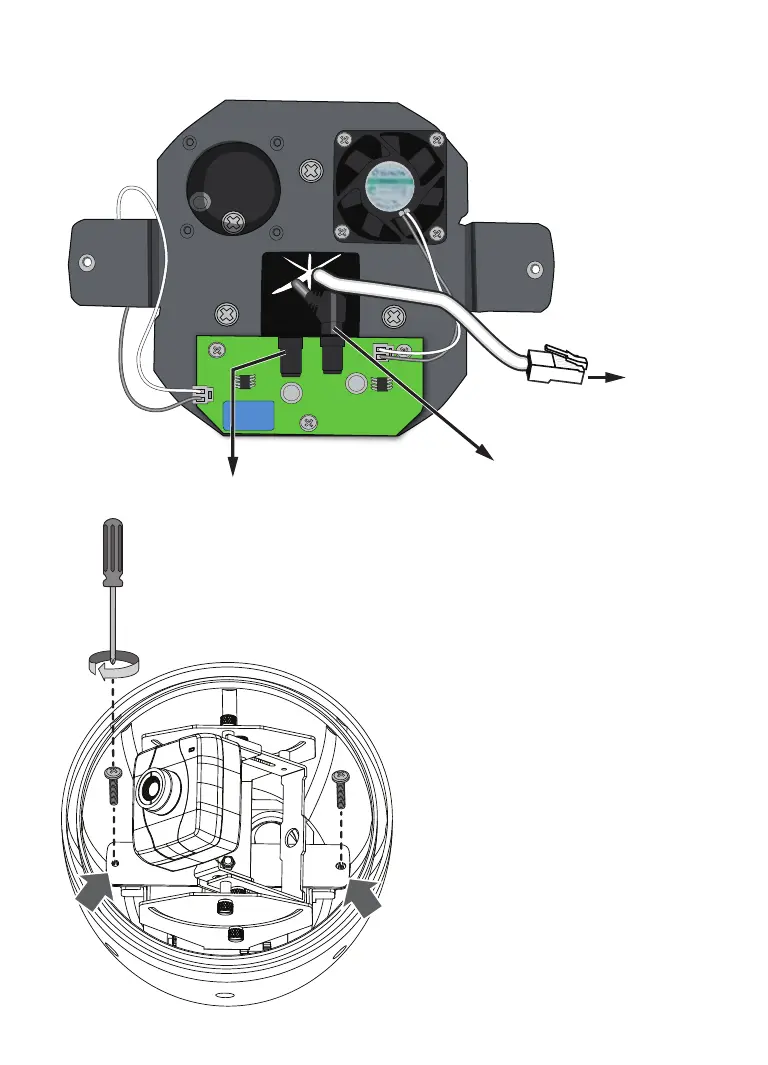
10. Install the camera into the housing by driving 2 M6 screws.
11. Depending on your choice with the mounting type using a gooseneck
or other accessories, refer to the instructions in the following sections to
complete the installation. The dome cover is installed after you complete
9. Insert and connect power cables and the Ethernet cable as shown below. The IP8152
can only be powered by a PoE Ethernet connection.
DC 12V input for onboard
heater
Unused
PoE
for
camera
hardware installation and acquire a
satisfactory imaging result.
IP8152_housing_ig_VVTK_v1.0_20121206.indd 12 2013/1/10 下午 01:36:45



 To Next Page