7
English
Preparation before Installation
III
1
2
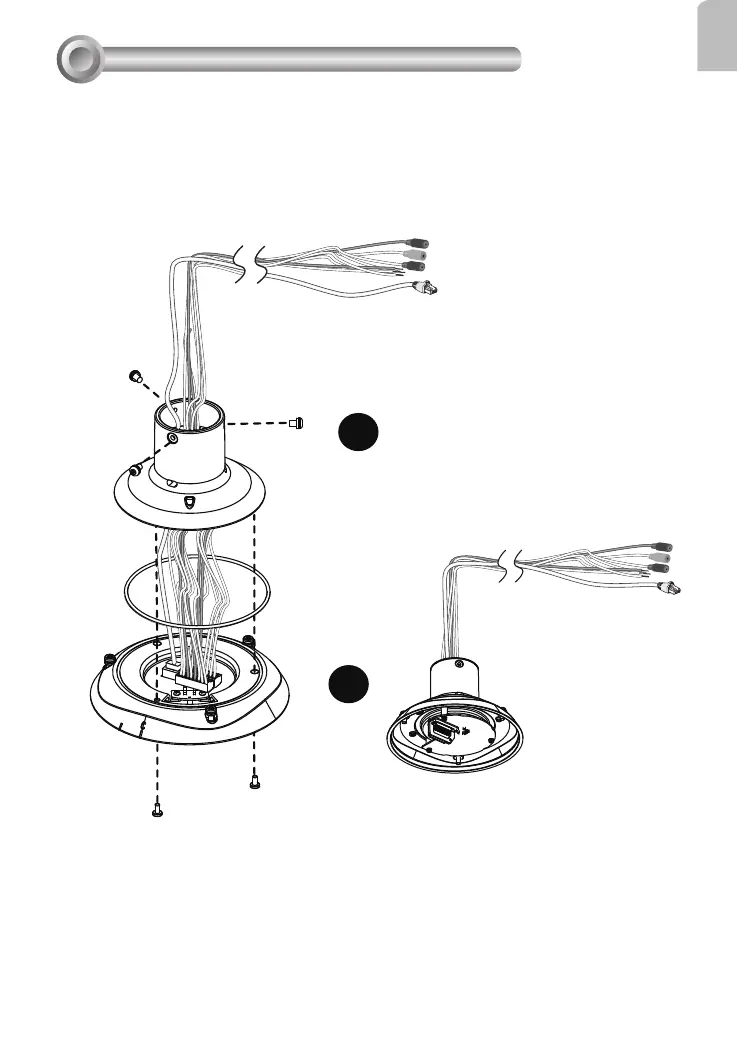
Connect Ethernet cable and IO wires (this may include the AC24V wires) to the interface
section of the camera, and then combine the interface section with the dome cap. Note
that you must route cables through the waterproof connector and the rubber seal plug, and
install them to the dome cap. Please refer to the Quick Installation Guide for details.
Cabling should be done before mounting the camera.
The top section will look like this.



 To Next Page