24
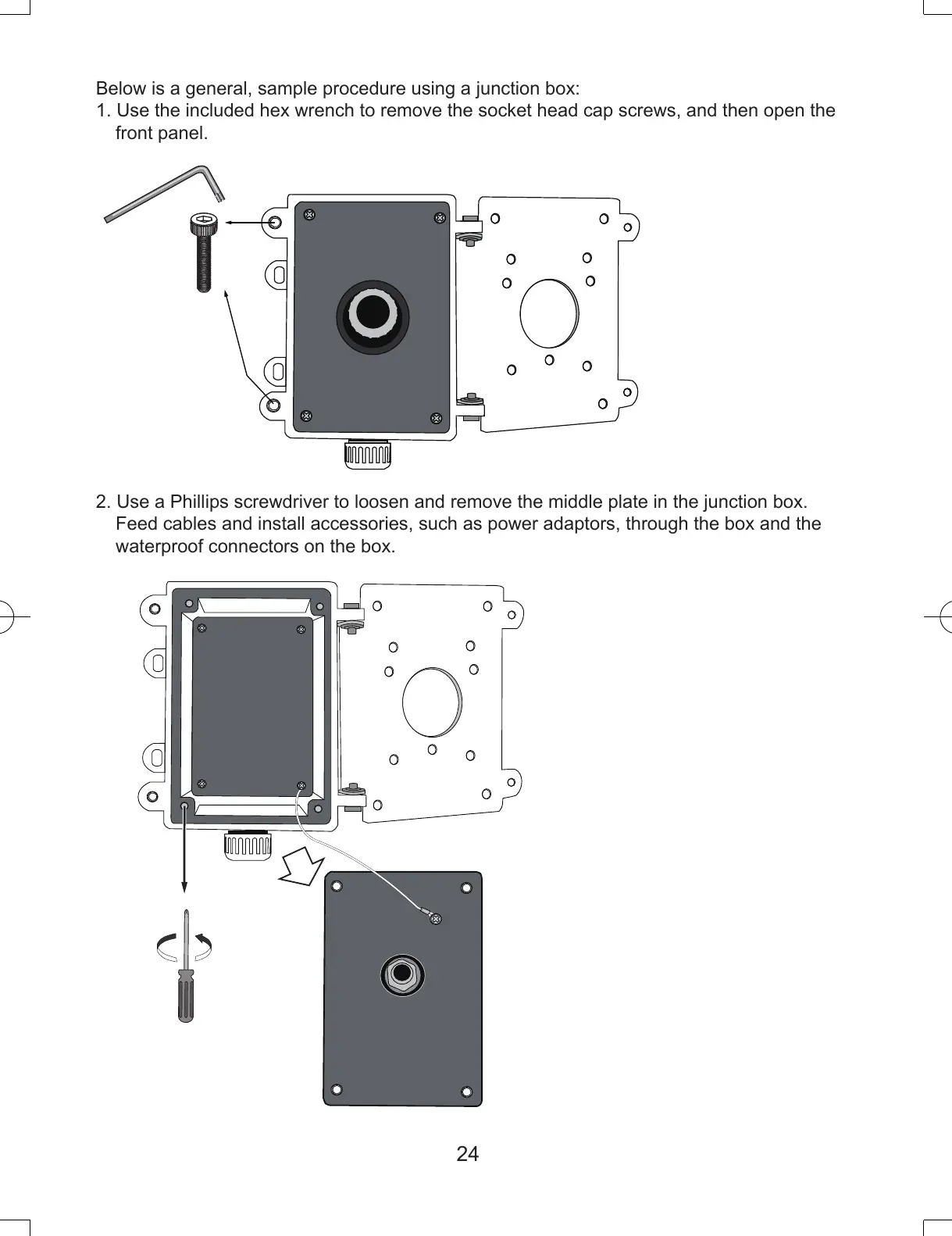
Below is a general, sample procedure using a junction box:
1. Use the included hex wrench to remove the socket head cap screws, and then open the
front panel.
2. Use a Phillips screwdriver to loosen and remove the middle plate in the junction box.
Feed cables and install accessories, such as power adaptors, through the box and the
waterproof connectors on the box.
IP8152_housing_ig_VVTK_v1.0_20121206.indd 24 2013/1/10 下午 01:36:51



 To Next Page