VIVOTEK
114 - User's Manual
5. Click Save to preserve your conguration, and your current session with the camera will change
to the encrypted connection.
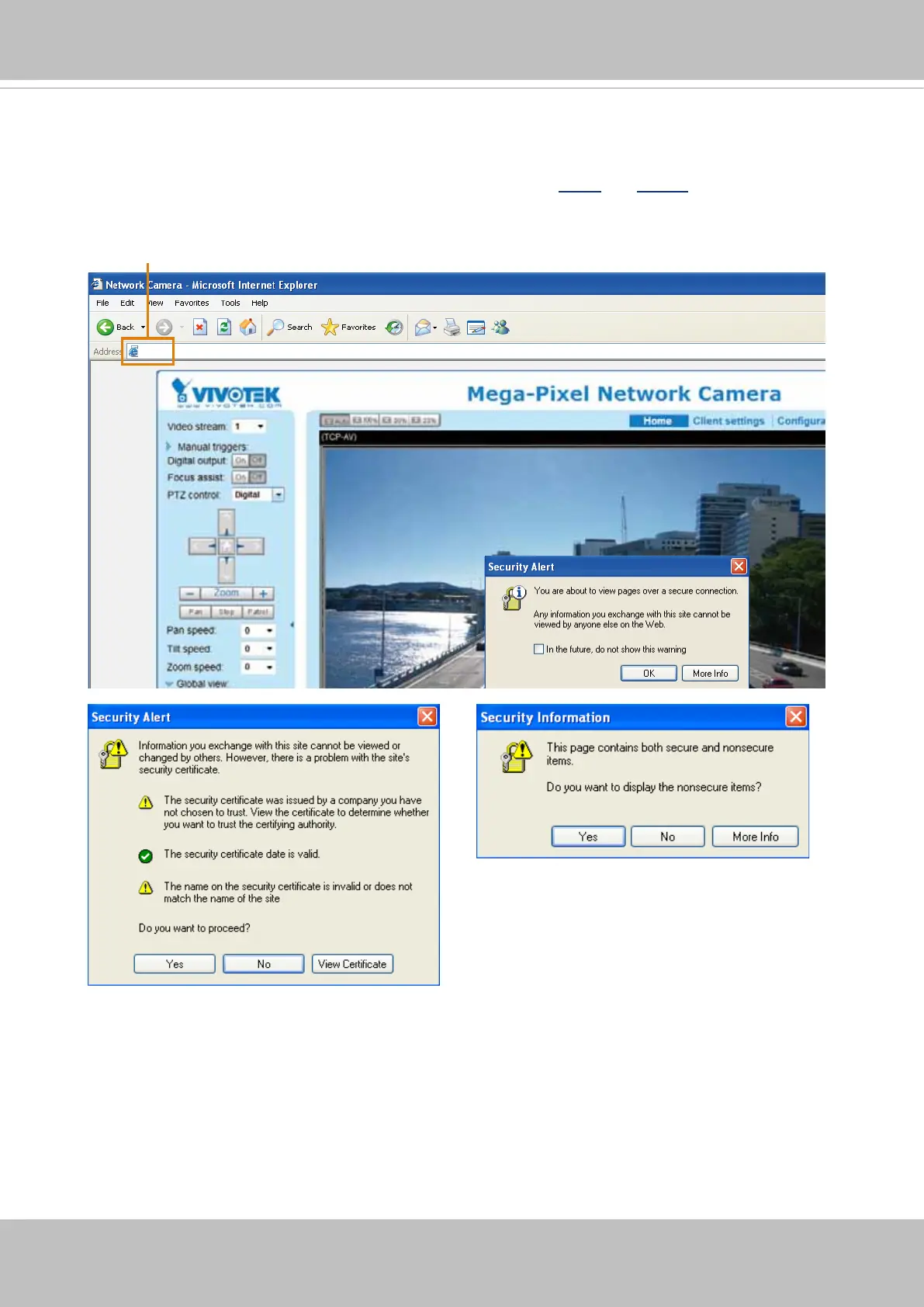
6. If your web session does not automatically change to an encrypted HTTPS session, click Home
to return to the main page. Change the URL address from “http://” to “https://“ in the address bar
and press Enter on your keyboard. Some Security Alert dialogs will pop up. Click OK or Yes to
enable HTTPS.
https://192.168.5.151/index.html














 To Next Page