VIVOTEK
User's Manual - 151
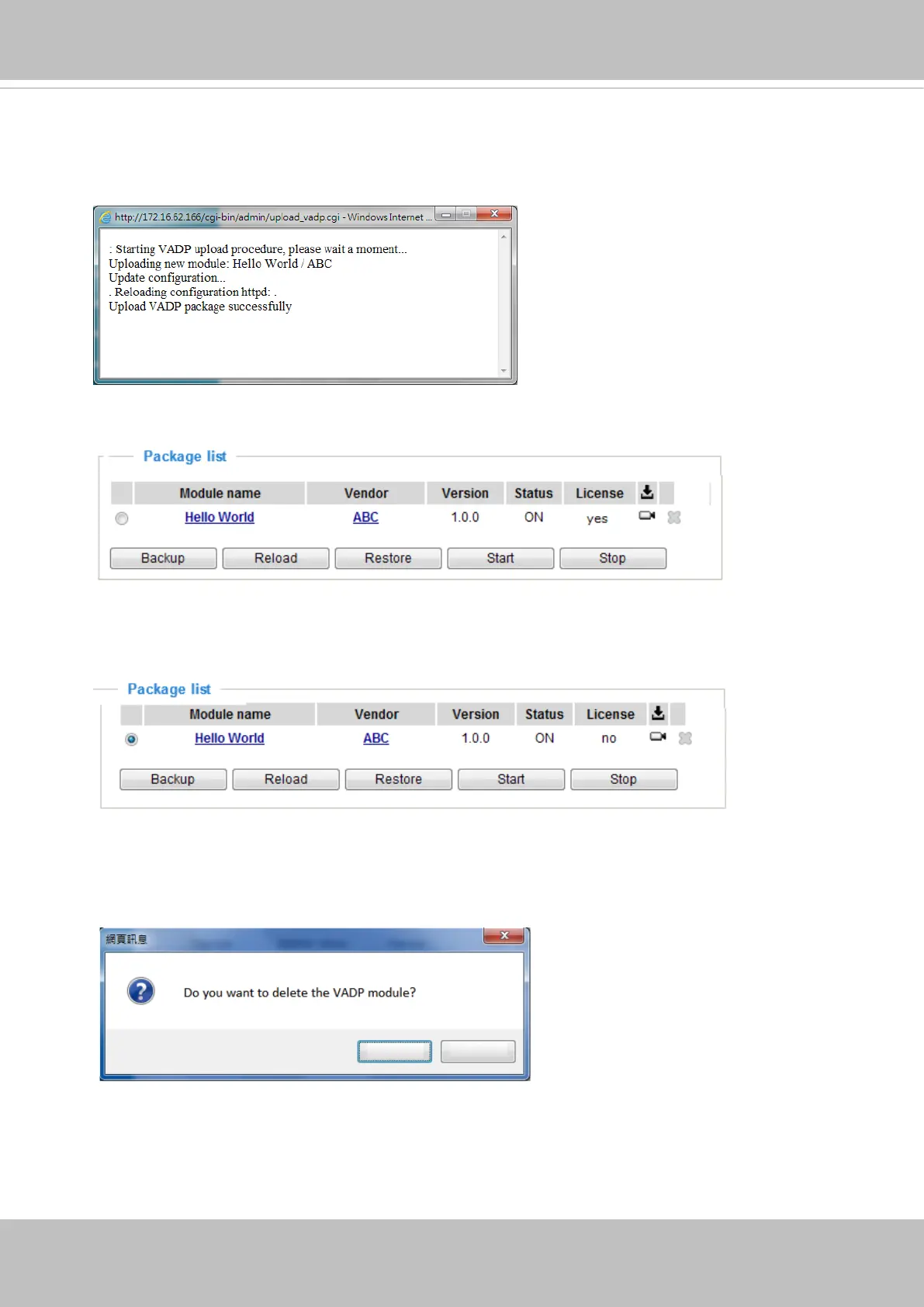
To start a module, select the checkcircle in front, and click the Start button.
If you should need to remove a module, select the checkcircle in front and then click the
Stop button. By then the module status will become OFF, and the X button will appear at
the end of the row. Click on the X button to remove an existing module.
When prompted by a conrm message, Click Yes to proceed.
Yes
No
Note that the actual memory consumed while operating the module will be indicated on the
Memory status eld. This helps determine whether a running module has consumed too
much of system resources.
To utilize a software module, acquire the software package and click Browse and Upload
buttons. The screen message for a successful upload is shown below:














 To Next Page