VIVOTEK
132 - User's Manual
3. Action
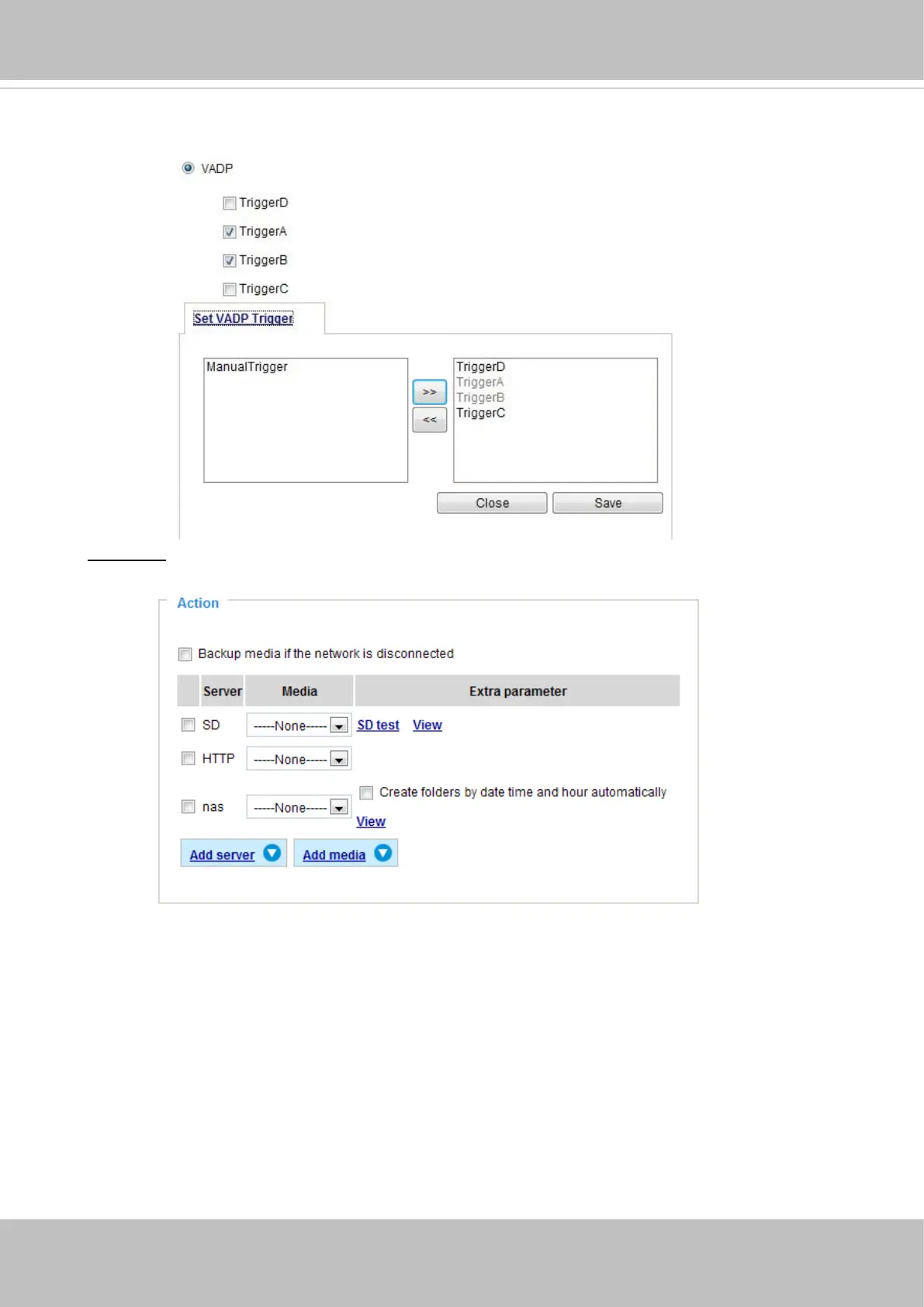
Dene the actions to be performed by the Network Camera when a trigger is activated.
■ Backup media if the network is disconnected
Select this option to backup media le on SD card if the network is disconnected. This function
will only be displayed after you set up a network storage (NAS). The media to back up can
include snapshot images, video, or system logs depending on your event settings.
Once the triggers are congured, they will be listed under the VADP option.














 To Next Page