VIVOTEK
24 - User's Manual
Forceful Password Conguration
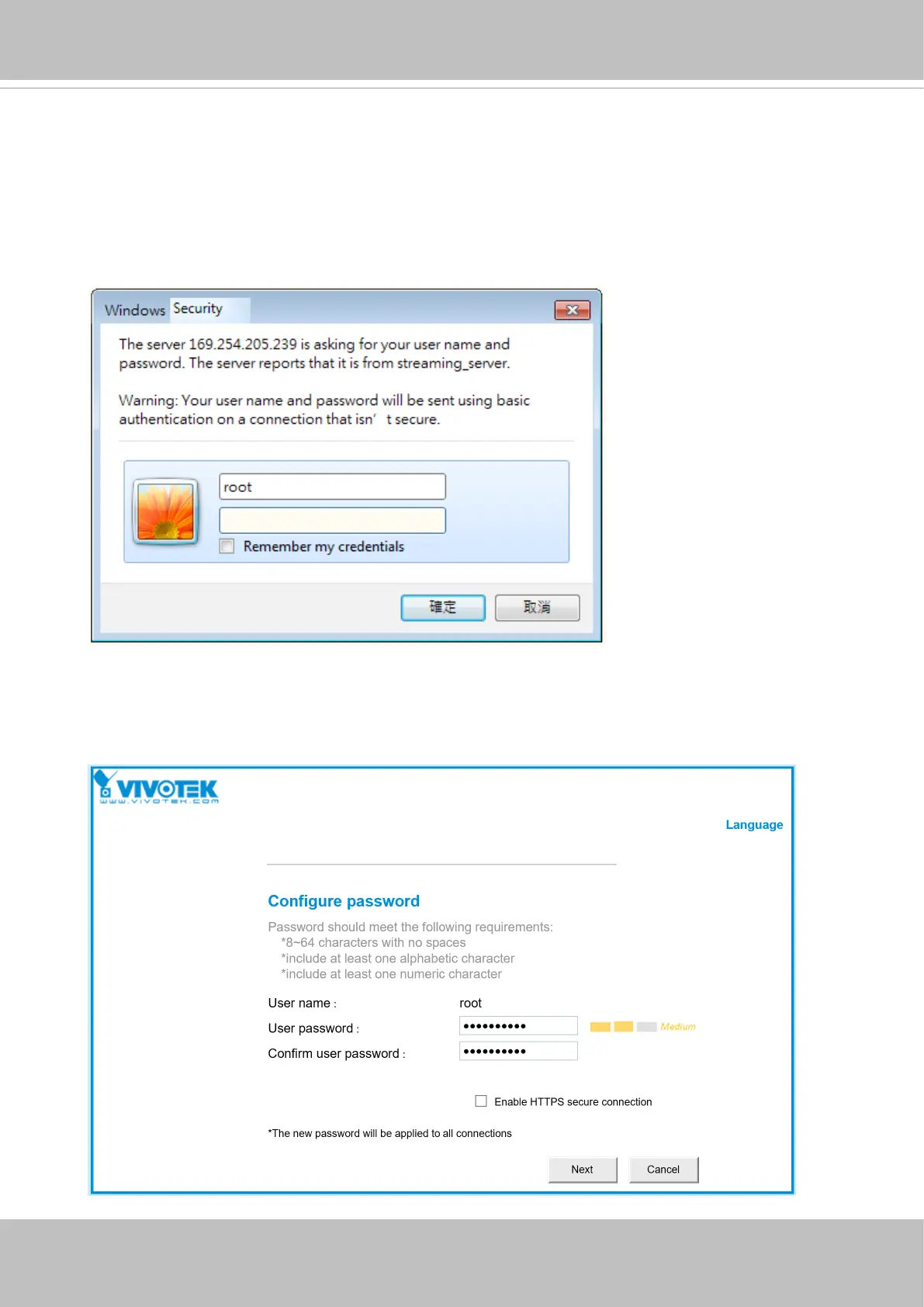
23. The first time you log in to the camera, the firmware will prompt for a password
conguration for security concerns.
23-1. Since your camera is used for the rst time, there is no password. Enter “root” as the
user name, and nothting for the password.
23-2. Enter the combination of alphabetic and numeric characters to fulll the password
strength. requirement. The default name for the camera administrator is “root”, and can
not be changed.














 To Next Page