16
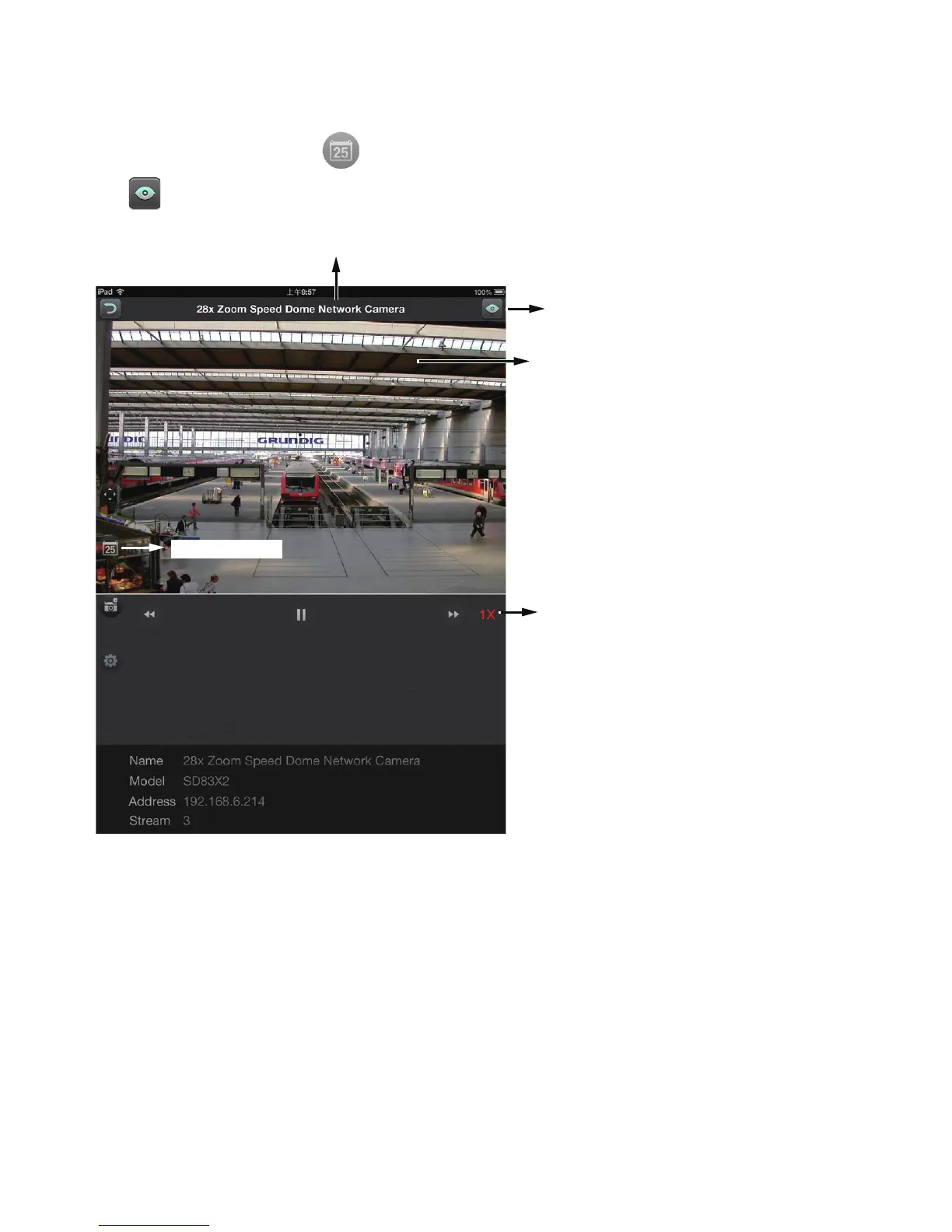
2013/07/15 17:00:04 Recorded time of
current playback
Return to Live
Control buttons
Camera name
Playback time
The Playback window provides control over the selected video footage. You can tap on
the forward and backward buttons several times to increase or decrease the playback
speed.
Tap on the Playback time button to return to the Time Selection roller. Tap on the
Live button to return to the Live View window.
Note the following when using the Playback function:
1. You can also use your fingers to zoom in/out on the Playback screen. See the
description for PiP on the previous page.
2. For a sheye camera, you can select a different display mode during the playback, such
as 1R or 1P.
3. The Snapshot function also applies in the Playback window.



 To Next Page