18
III. Other Functions
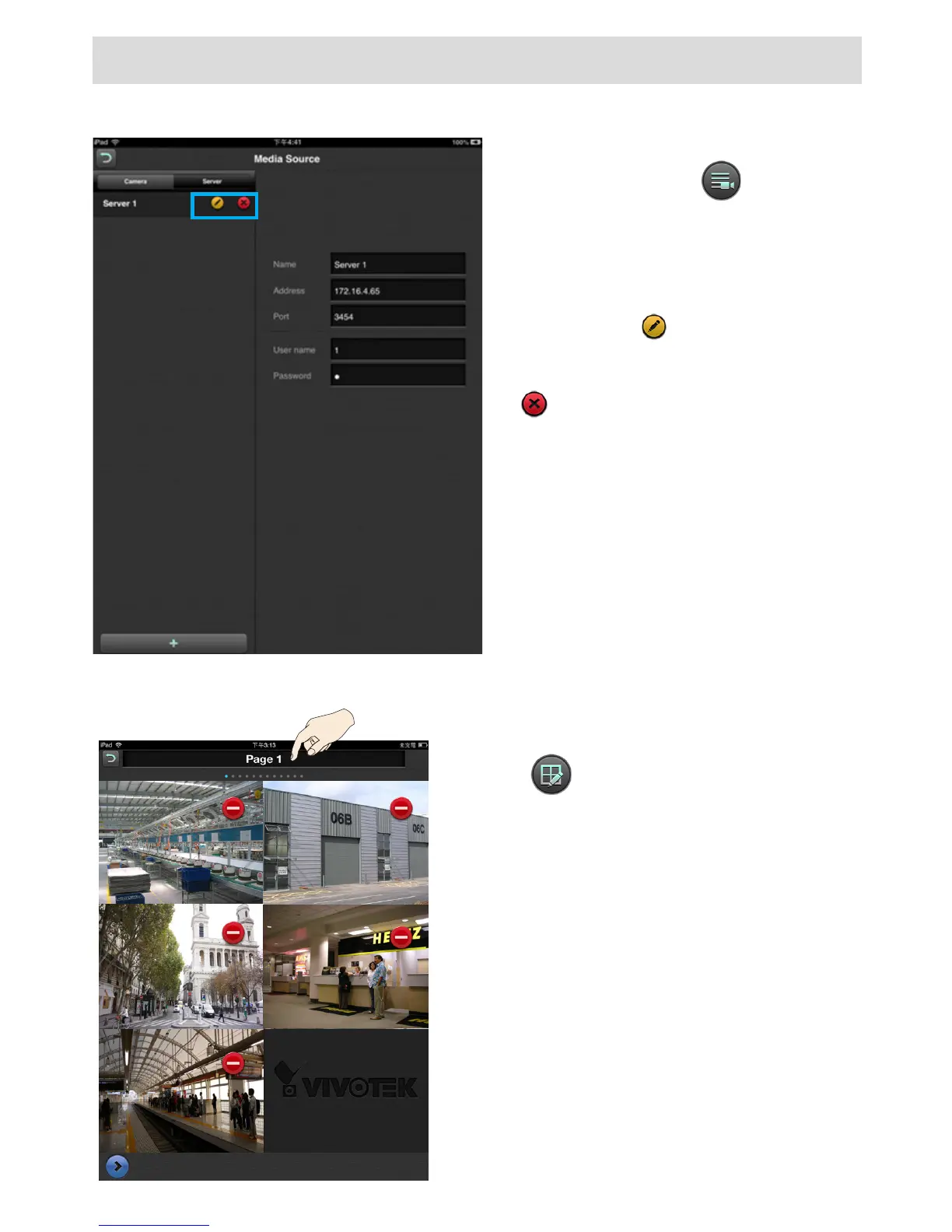
3-1. Editing an Existing Server or Cameras
Enter the Media Source page by tapping
on the Media Source button.
Tap on the Server tab, the Conguration
page for existing servers will display.
Tap the Edit button to change the
existing information or use the Delete
button to remove a server.
If you remove a server, all cameras
managed by it will disappear from the
Live view window.
Note that the address and port number
are not congurable. If the address and
port number have changed for some
reasons, you should remove the camera/
server and then enlist them again.
Use the button to enter the Layout page.
Double tap on the page title. A virtual keypad
will prompt. You can then change the name of
the layout page, e.g., from Page 1 to Lobby 1.
When done, close the virtual keypad. Repeat
the process to rename other layout pages.
x 2
3-2. Renaming the Layout Page


 To Next Page
 Loading...