9
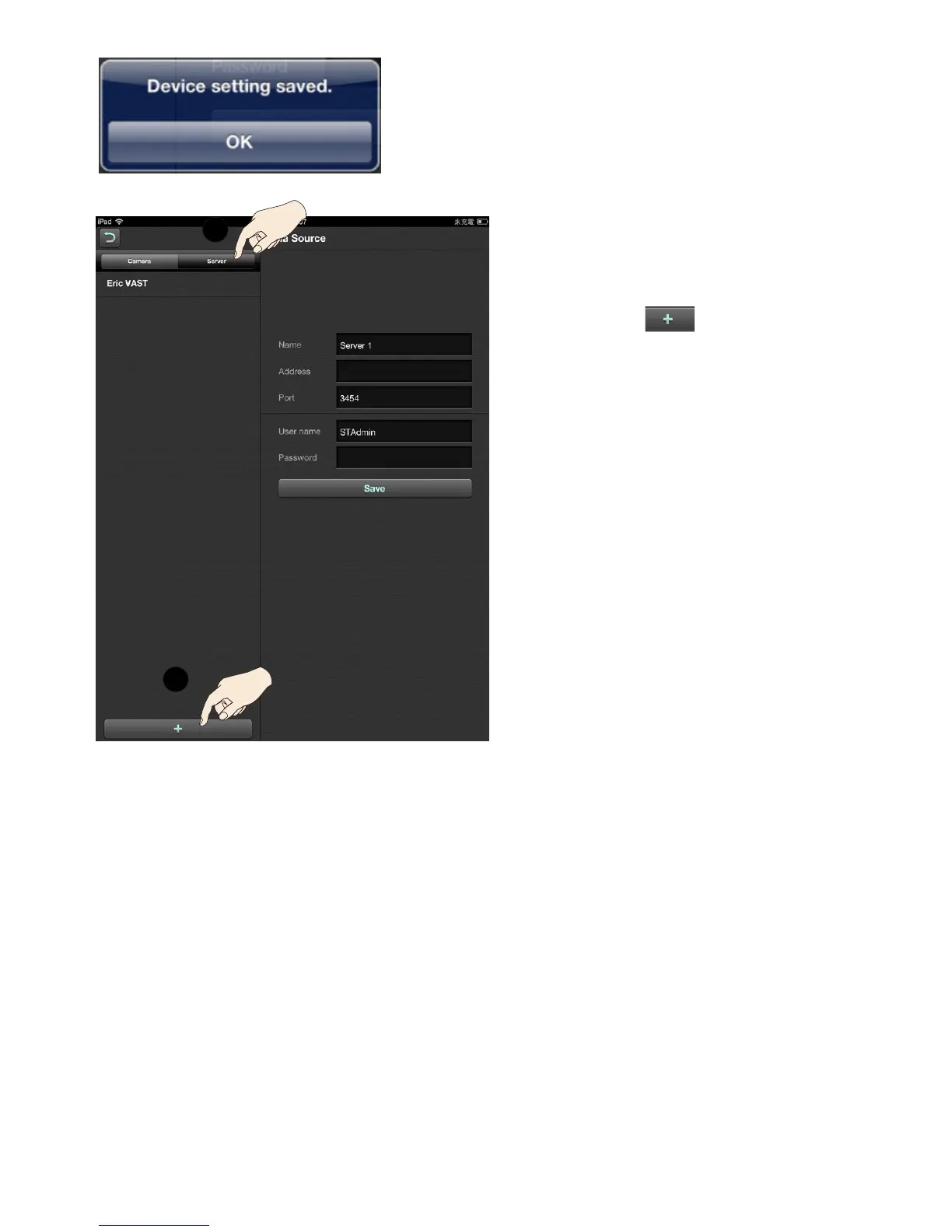
The iViewer will try the initial connection, and when
successful, a message will prompt as shown.
Cameras thus configured will be auto matically
added to the view cells on the Layout screen.
2-3-2.
If you are adding a VAST/ST server or
NVR station:
Tap on the Server tab.
Tap on the Add button.
You may then single tap in each entry
eld including, Server name, Address,
Port, User name, and Password. Enter
login information for access to a VAST,
ST-7501 server, or an NVR station.
When done, click the Save button to
recruit the server, and repeat the process
to add more.
A keypad will prompt whenever you tap
on an entry eld.
All cameras managed by the server will
be available in the Server queue. You
may then place them onto the iViewer
Layout pages.
1
2



 To Next Page