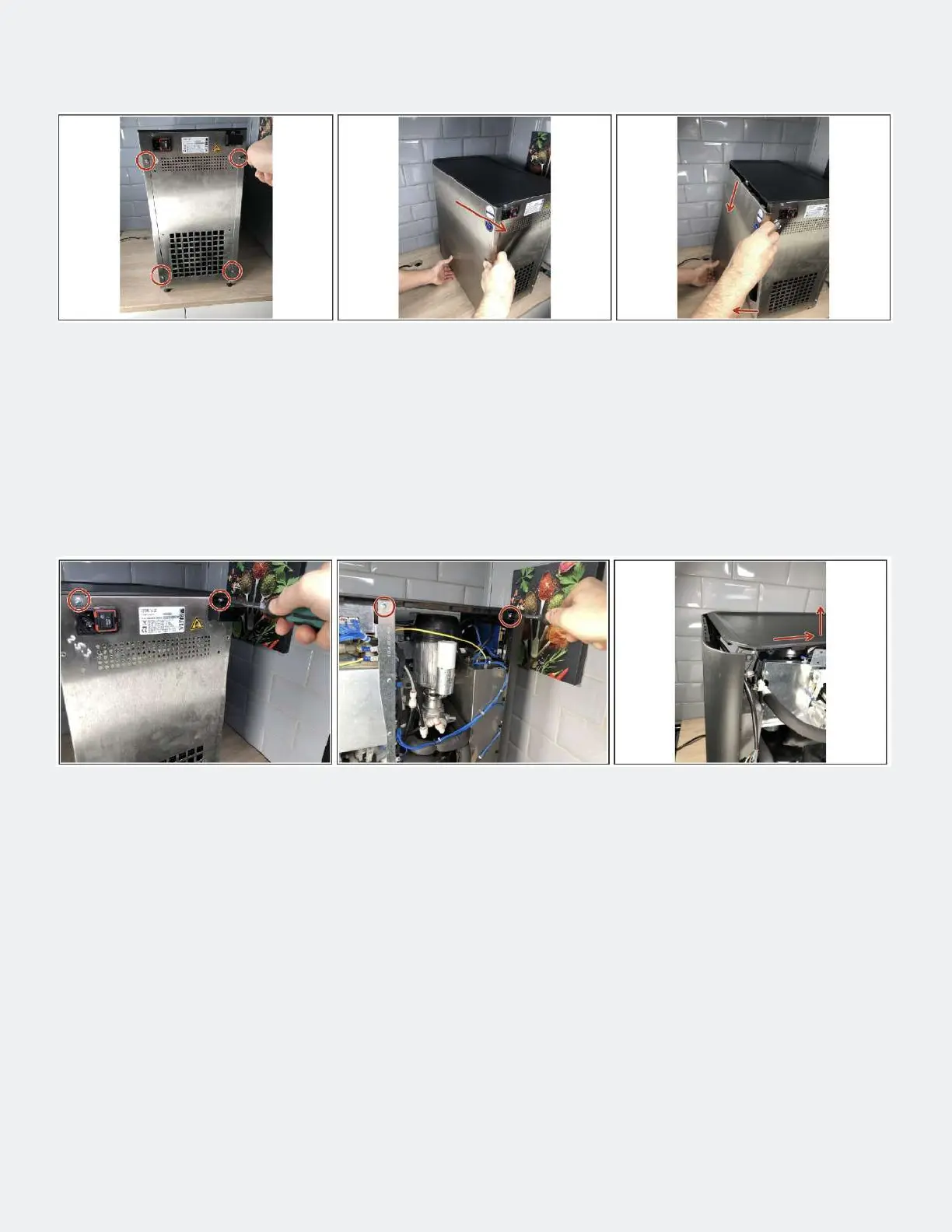
• Remove 2 screws on the back of each side panel (image 1).
• Pull the side wall backwards a little (picture 2).
• Pull the side panel away from the device at the bottom and then unhook it from the latches (image 3).
Step 2 — Remove sidewalls
• To remove the cover, both side parts must rst be removed.
• Loosen 6 screws (2 left, 2 right, 2 at the back, see pictures 1 and 2)
• Slightly lift the cover at the back and pull it backwards (image 3).
Step 3 — Loosen the cover



 To Next Page