5
Proprietary & Confidential - Not for Distribution
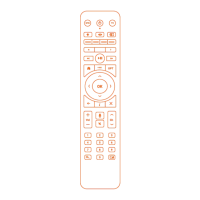
Important Instructions for your Viya TV+ Remote
• Hit the STB button first to navigate.
If you use the remote for both your TV and the cable set top box, and have pressed the TV button last then your Viya TV+ set top
box won't respond.
• Remote Pairing and Bluetooth.
Each Viya TV+ remote is paired to the box it comes with via Bluetooth (software that allows the remote to speak to the box). In the
event that your Viya TV+ remote has lost its pairing with the Viya Media Player, simply follow the instructions to pair the remote
again to the Media player or instructions to address pairing issues. We also provide our customers the option to use the Viya TV+
remote in infra-red mode.
Benefit: Bluetooth allows you to use your remote without having to point it at the box directly.
Tip: If you remove the batteries, the remote will pair to the box again.
REMOTE CONTROL USER GUIDE


 To Next Page