1
14
REAR PANEL
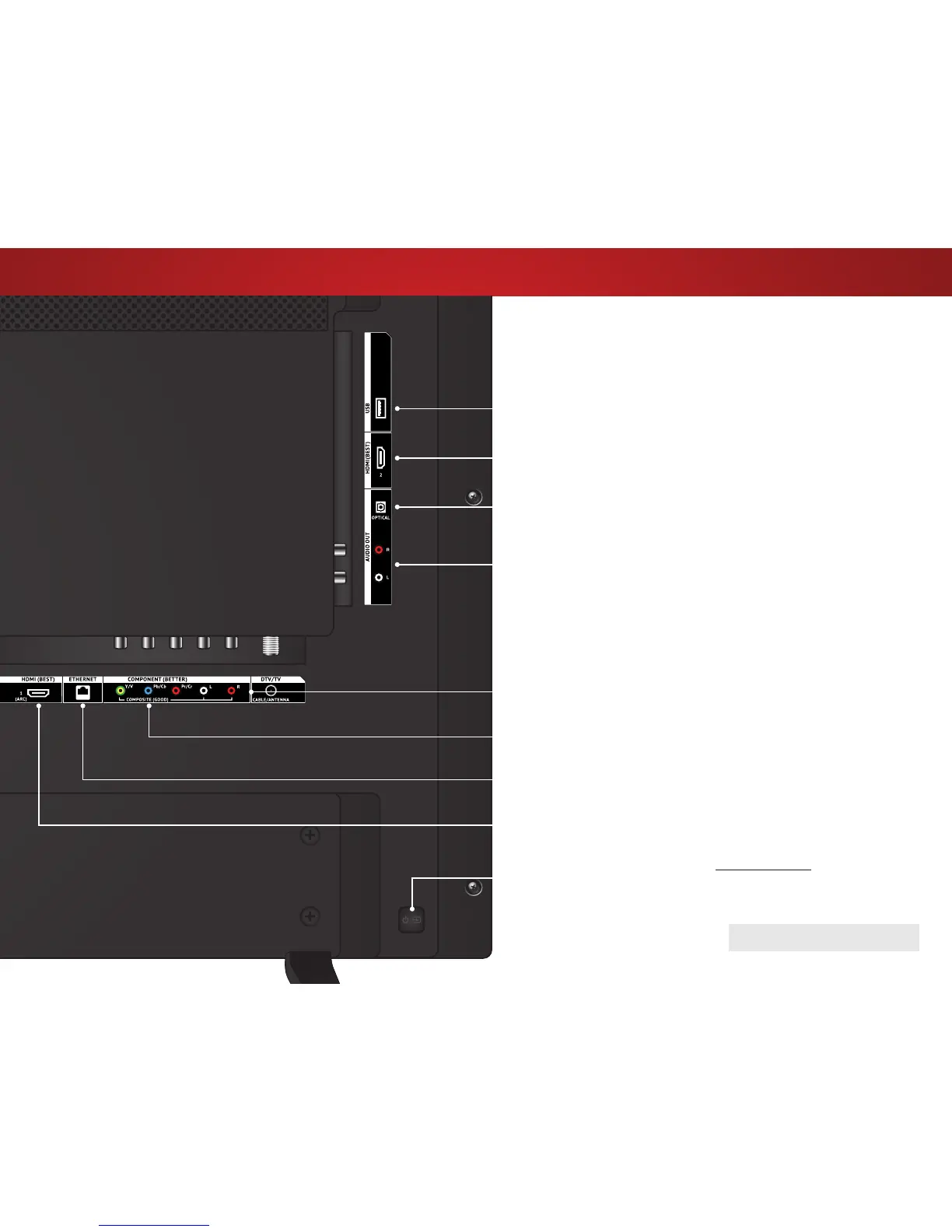
Stereo Audio Out - Connect an RCA audio device, such as
sound bar.
DTV/TV (Coaxial) - Connect a coaxial cable from a cable or satellite
box, or from an antenna.
REAR PANEL
HDMI - Connect an HDMI device.
USB - Connect a USB thumb drive to play photos, music, or video.
HDMI - Connect an HDMI device.
Ethernet - Connect an Ethernet cable from a home network.
Component/Composite - Connect a component or composite
device.
Optical Audio Out - Connect an optical/SPDIF audio device, such
as home audio receiver.
POWER - Press to turn the TV on. Press and hold to turn the TV o.
INPUT - Press to change the input source.



 To Next Page