2
8
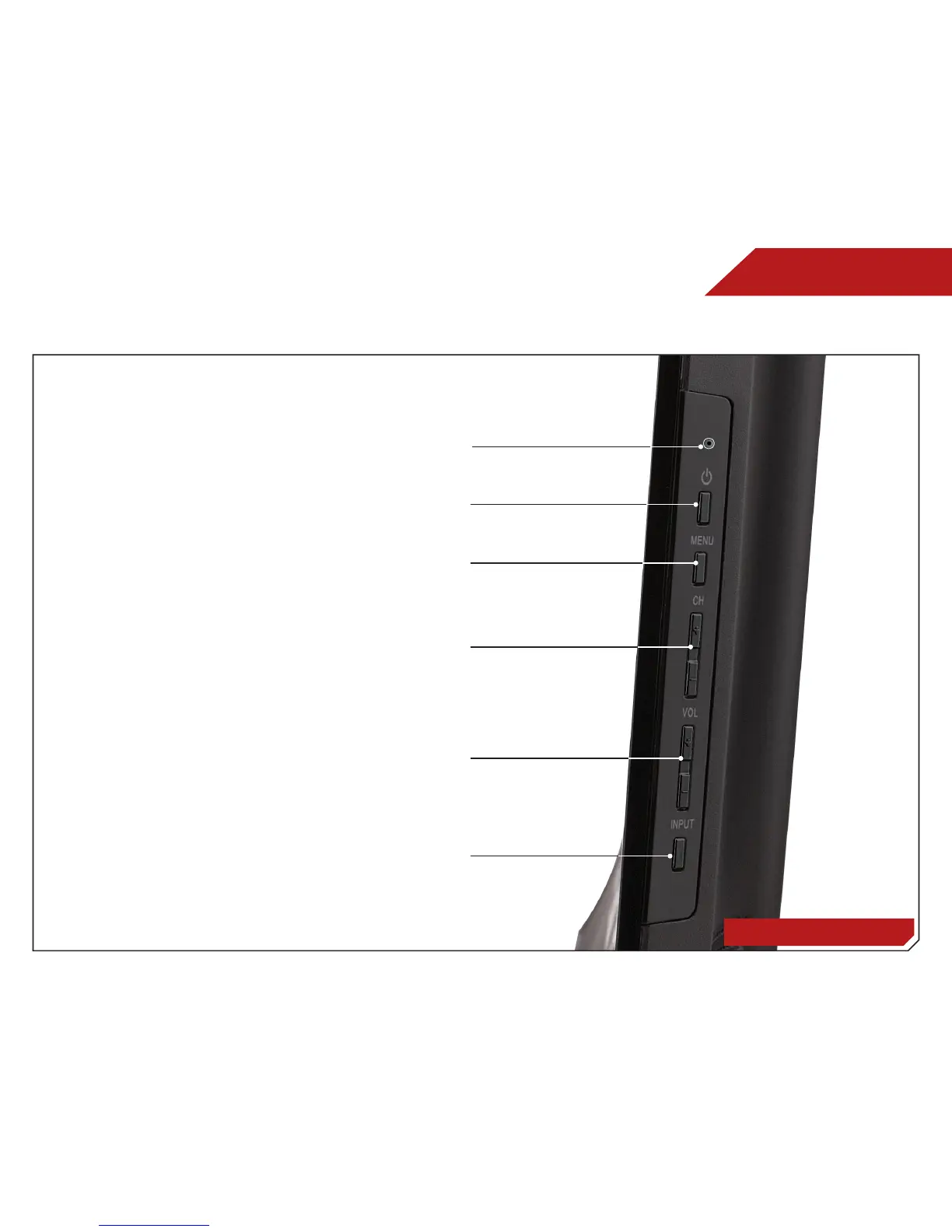
Side Panel
SIDE PANEL
POWER - Turn TV off or on.
MENU - Open the on-screen menu.
CHANNEL UP/DOWN - Change the channel.
VOLUME UP/DOWN - Increase or decrease volume level.
INPUT - Change input source.
Ambient Light Sensor - Automatically adjusts backlight to
give you the best picture.



 To Next Page