5
16
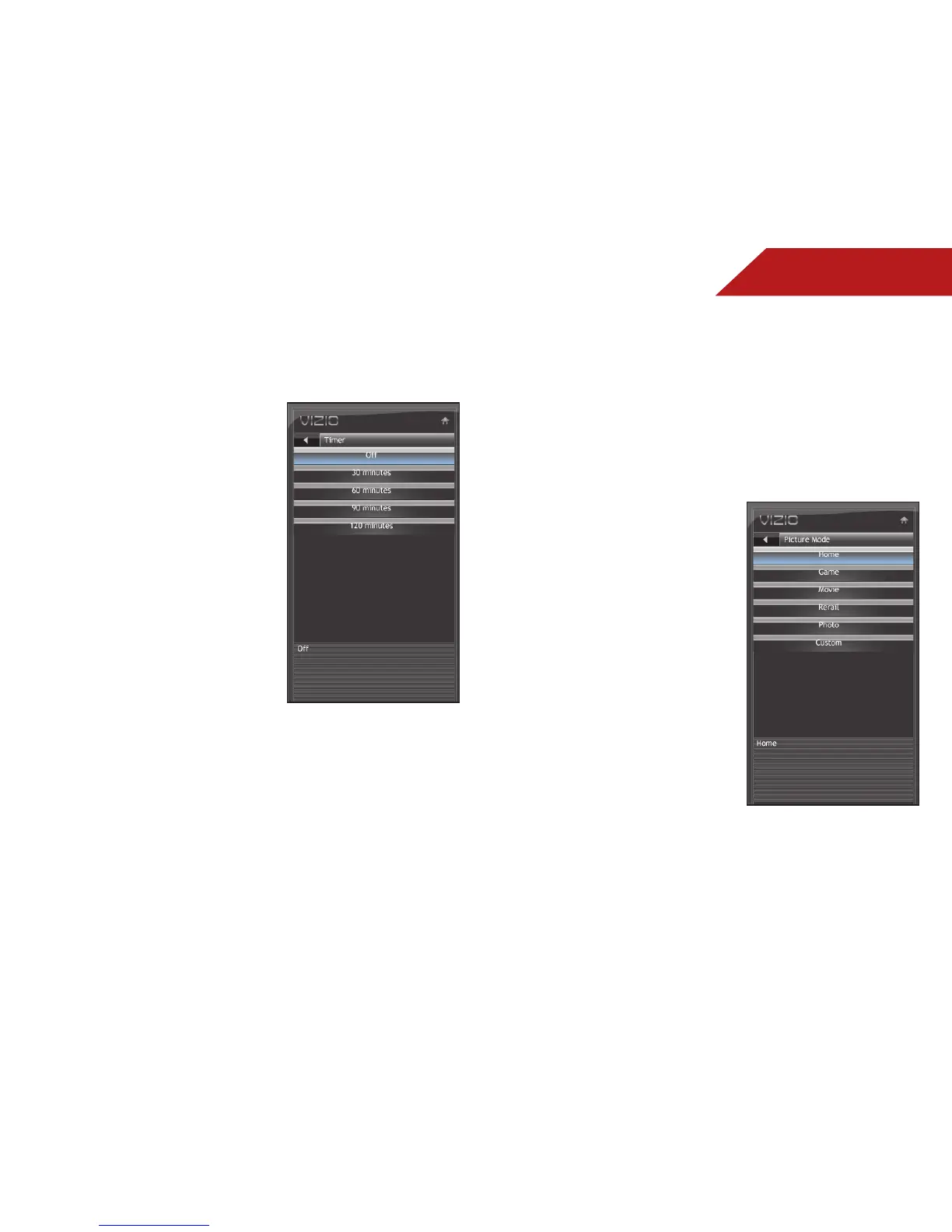
ACTIVATING THE SLEEP TIMER
When activated, the TV’s sleep timer will turn the TV off after a set
period of time.
To use the sleep timer:
1. Press the MENU button on the
remote. The on-screen menu is
displayed.
2. Use the Arrow buttons on the
remote to highlight the Sleep
Timer icon and press OK. The
Sleep Timer menu is displayed.
3. Use the Up/Down Arrow
buttons on the remote to
highlight Timer and press OK.
The Timers menu is displayed.
4. Use the Up/Down Arrow
buttons on the remote to
highlight the period of time
after which you want the TV to
turn off: 30, 60, 90, 120, or 180
minutes.
5. Press OK, then press EXIT.
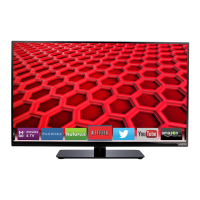
ADJUSTING THE PICTURE SETTINGS
Using the Picture menu, you can adjust the following settings:
• Change the picture mode
• Adjust noise reduction
• Enable or disable Fast Response
• Enable or disable the ambient light sensor
• Reset the picture mode settings
To adjust the picture mode:
1. Press the MENU/OK button
on the remote. The on-screen
menu is displayed.
2. Use the Arrow buttons to
highlight Picture and press
MENU/OK.
3. Use the Arrow buttons to
highlight Picture Mode and
press
MENU/OK.
4. Use the Arrow buttons to
highlight one of the following
options, then press MENU/OK:
• Home - Sets the various
picture settings to values
that will produce the best
picture in the most cases.
This is the recommended
setting.
• Game - Optimizes the picture settings for displaying
game console output.
• Movie - Sets the picture settings to values perfect for
watching a movie in a dark room.


 To Next Page