3
20
Note: The images shown here are for illustrative purposes only and may be subject to change. The actual on-screen image and text may vary, depending on the model.
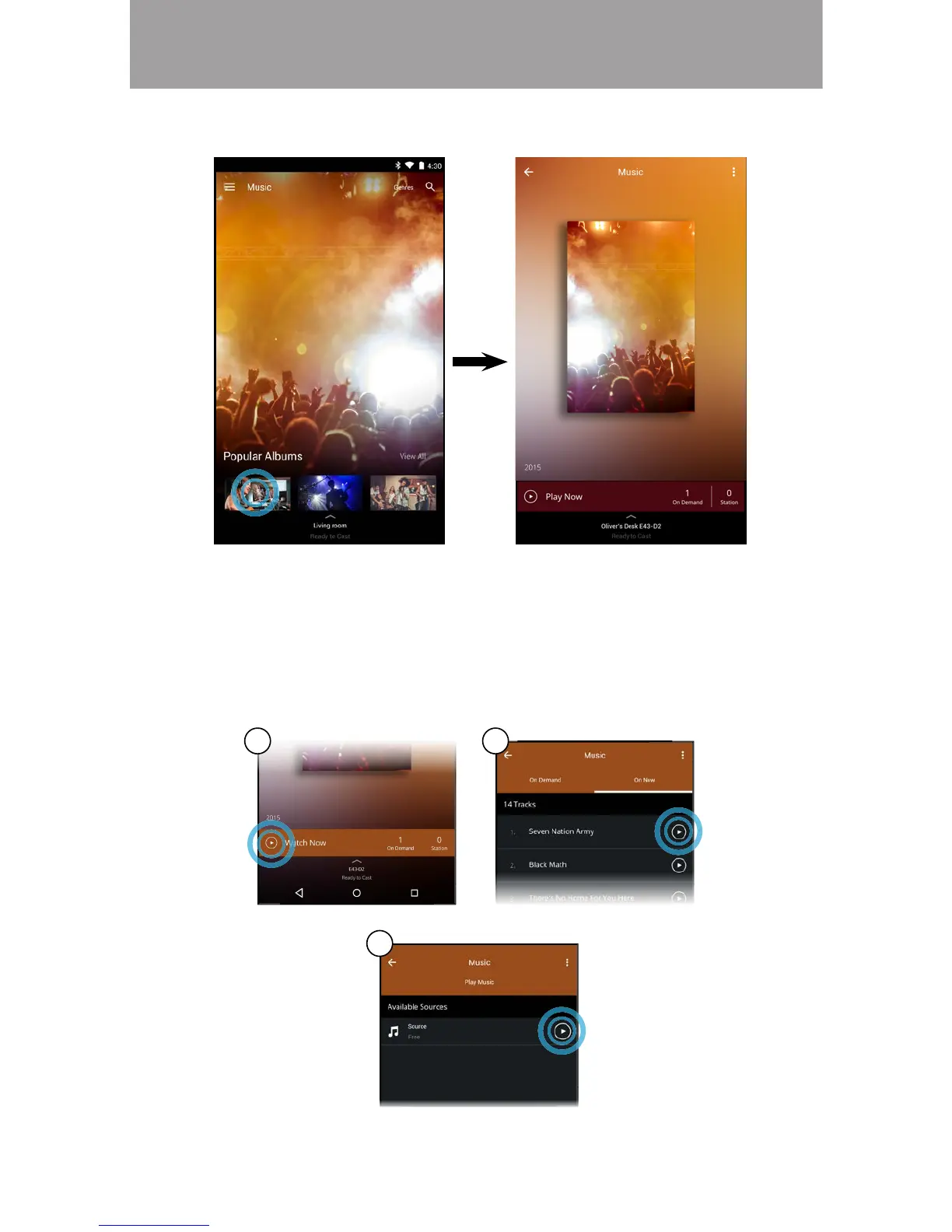
3. Tap on the content you want to listen to.
4. A) Tap on the play button.
B)
*
C) For On Demand: Select a source and tap the play button.
Your content begins playing on your SmartCast device. The Device
and content.
A B
C
* Separate user account may be required to access content.



 To Next Page