EasyManua.ls Logo

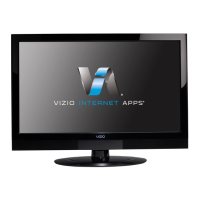
Vizio M420SV - User Manual

Vizio M420SV
53 pages
Print Icon
To Next Page IconTo Next Page
Loading...
M420SV / M470SV / M550SV
user manual
EDGE LIT RAZOR LED
LCD HDTV
wITH VIZIO InTERnET Apps
®

Table of Contents

Other manuals for Vizio M420SV

Question and Answer IconNeed help?

Do you have a question about the Vizio M420SV and is the answer not in the manual?

Summary

Troubleshooting & Technical Support

TV Display and Power Issues

Addresses TV display issues like 'No Signal' and power problems.

Important Safety Instructions

Installing Your VIZIO TV

Setting Up the TV Stand

Step-by-step guide to attach the TV stand securely to the TV.

Wall Mounting Your VIZIO TV

Remote Control Operation

Remote Control Buttons and Functions

Explains the purpose of each button on the remote control.

Connecting External Devices

Connecting Devices to the TV

Steps for connecting various external devices like DVD players or game consoles.

Network Connection Setup

Wired Network Connection

Guide to connecting the TV to a home network using an Ethernet cable.

Wireless Network Connection

Guide to connecting the TV to a home network wirelessly.

First-Time Setup Guide

On-Screen Menu Navigation

Changing the Input Source

Selecting and switching between different connected video sources.

Screen Aspect Ratio Overview

Changing Screen Aspect Ratio

Closed Captioning Setup

Setting Up Closed Captioning

Instructions to enable or disable closed captions for TV channels.

Picture Settings Adjustment

Advanced Picture Settings

Color Temperature Adjustment

Picture Size and Position Control

Picture-in-Picture (PIP) Feature

Network Connection Menu

Advanced Network Settings

Testing Network Connection

Advanced Audio Settings

Scanning for Channels

Adding New Channels

Audio Language Selection

Parental Controls Management

Accessing and Navigating Parental Controls

Steps to enter and navigate the parental controls menu.

Content Rating and Channel Blocking

Features for enabling ratings, blocking channels, and content by rating.

Passcode and Lock Settings Management

Changing the parental passcode and resetting content locks to defaults.

CEC Settings Adjustment

Factory Default Restoration

Guided Setup Utility

USB Media Player Operation

VIZIO Internet Apps (VIA)

Managing User Profiles

Creating Owner PIN

Setting a PIN to control access to administrative functions and app installations.

Summary

Troubleshooting & Technical Support

TV Display and Power Issues

Addresses TV display issues like 'No Signal' and power problems.

Important Safety Instructions

Installing Your VIZIO TV

Setting Up the TV Stand

Step-by-step guide to attach the TV stand securely to the TV.

Wall Mounting Your VIZIO TV

Remote Control Operation

Remote Control Buttons and Functions

Explains the purpose of each button on the remote control.

Connecting External Devices

Connecting Devices to the TV

Steps for connecting various external devices like DVD players or game consoles.

Network Connection Setup

Wired Network Connection

Guide to connecting the TV to a home network using an Ethernet cable.

Wireless Network Connection

Guide to connecting the TV to a home network wirelessly.

First-Time Setup Guide

On-Screen Menu Navigation

Changing the Input Source

Selecting and switching between different connected video sources.

Screen Aspect Ratio Overview

Changing Screen Aspect Ratio

Closed Captioning Setup

Setting Up Closed Captioning

Instructions to enable or disable closed captions for TV channels.

Picture Settings Adjustment

Advanced Picture Settings

Color Temperature Adjustment

Picture Size and Position Control

Picture-in-Picture (PIP) Feature

Network Connection Menu

Advanced Network Settings

Testing Network Connection

Advanced Audio Settings

Scanning for Channels

Adding New Channels

Audio Language Selection

Parental Controls Management

Accessing and Navigating Parental Controls

Steps to enter and navigate the parental controls menu.

Content Rating and Channel Blocking

Features for enabling ratings, blocking channels, and content by rating.

Passcode and Lock Settings Management

Changing the parental passcode and resetting content locks to defaults.

CEC Settings Adjustment

Factory Default Restoration

Guided Setup Utility

USB Media Player Operation

VIZIO Internet Apps (VIA)

Managing User Profiles

Creating Owner PIN

Setting a PIN to control access to administrative functions and app installations.

Vizio M420SV Specifications

General IconGeneral
Display diagonal42 \
Display brightness- cd/m²
Contrast ratio (dynamic)150000:1
Display number of colors16.78 million colors
Supported graphics resolutions1920 x 1080 (HD 1080)
3DNo
Aspect ratio-
RF ports quantity1
USB 2.0 ports quantity2
HDMI ports quantity4
DVI-D ports quantity0
Product colorBlack
Product designDigital signage flat panel
Panel mounting interface200 x 400 mm
RMS rated power10 W
Power consumption (standby)1 W
Power consumption (typical)67 W
CertificationCSA, CSA-US, FCC Class B, BQB, HDMI V1.4 incl CEC, ARC, VIZIO PQA. VIZIO AQA
Weight and Dimensions IconWeight and Dimensions
Depth- mm
Width1000 mm
Height691 mm
Weight13381 g

Related product manuals