14
ADVANCED SETUP
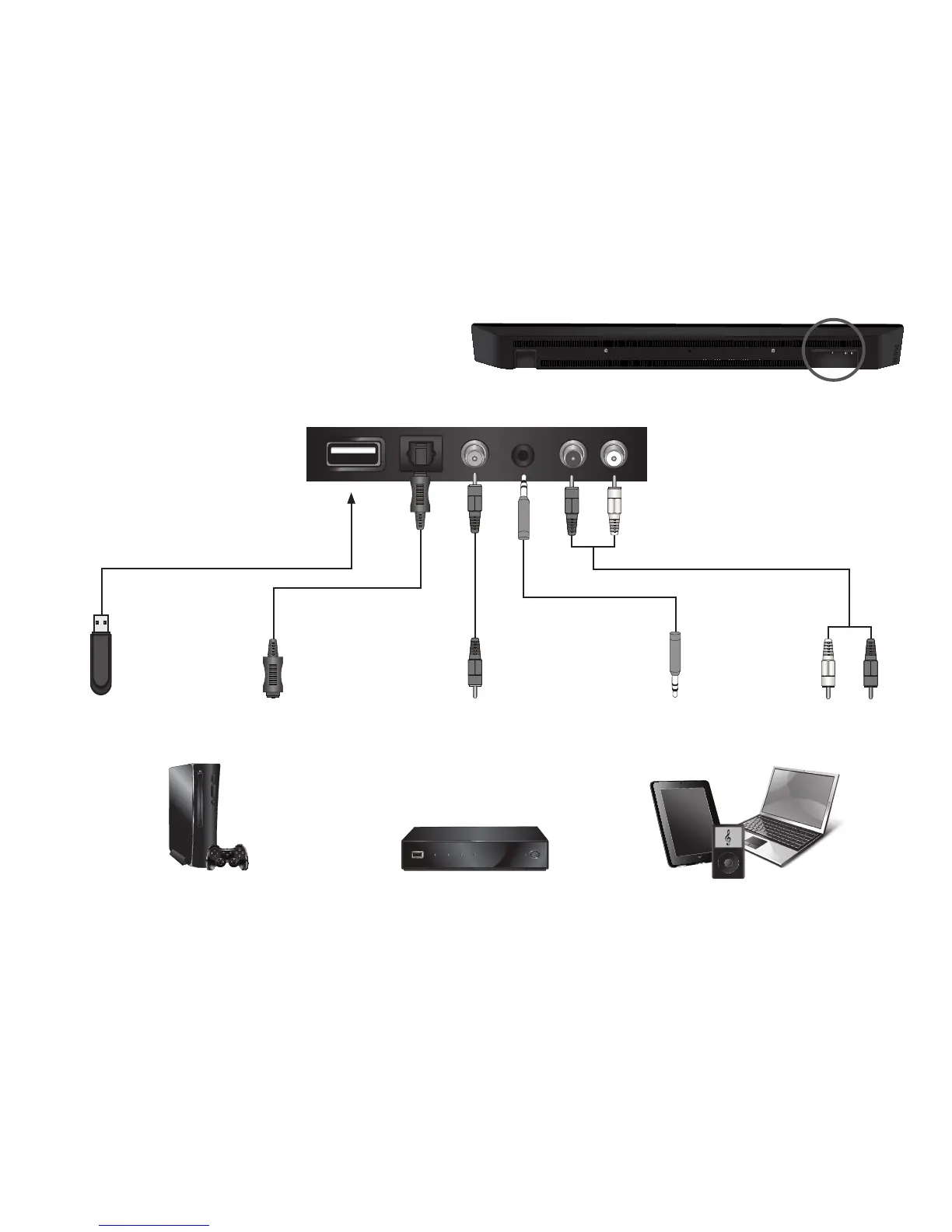
Connection ports are located here:
DIGITAL OPTICAL
CABLE
Connect up to five (5) different devices
to the Sound Bar (devices shown are
examples-you can use any device).
To listen to a device, change the input
source on the Sound Bar.
Optical, Coaxial, and 3.5mm cables
transmit audio only. If connecting a
video device, you will need a separate
video connection from the device to
your TV.
Game Console Network Media Player Tablet/MP3 Player/Laptop
USB
THUMB DRIVE*
3.5mm AUDIO
CABLE
DIGITAL COAXIAL
CABLE
RCA AUDIO
CABLE
*Supports .WAV file format playback only


 To Next Page