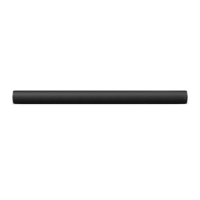
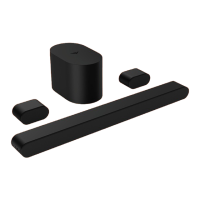
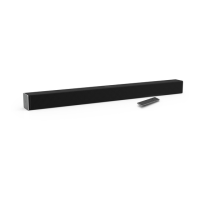
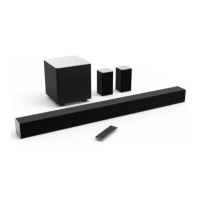
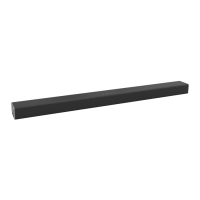
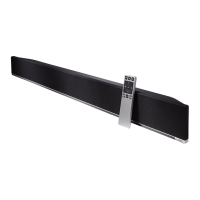
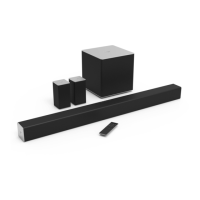
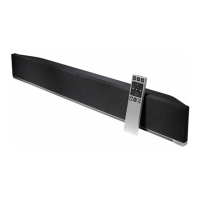
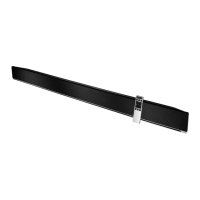
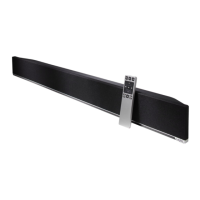
This document is a user manual for the VIZIO 2.1 Soundbar, Model SV210X-0805. It provides instructions for setup, operation, and maintenance of the soundbar and its accompanying wireless subwoofer.
Function Description:
The VIZIO 2.1 Soundbar is designed to enhance the audio experience for televisions, offering improved sound quality for movies, music, and other media. It operates as a 2.1 channel system, meaning it includes two main audio channels (left and right) and a dedicated subwoofer channel for low-frequency effects. The soundbar can be connected to a TV via HDMI (eARC) for high-quality audio transmission and supports Bluetooth for wireless audio streaming from compatible devices. It also features a USB input for playing .WAV and .MP3 audio files. The system is designed for easy setup and includes options for both tabletop placement and wall mounting.
Important Technical Specifications:
- Sound Bar Drivers: One 1.66" x 3.48" (42.3 x 88.5 mm) Full Range Driver for each channel (1 for left, 1 for right), and one 0.79" (20 mm) Tweeter for each channel (1 for left, 1 for right).
- Subwoofer Driver: One 5" (127 mm) Driver.
- Connections: HDMI (eARC), Bluetooth, USB (supports .WAV and .MP3 format only).
- Sound Pressure Level (System): 100 dB.
- Frequency Response (System): 50 Hz - 20 KHz.
- Voltage: 100-240Vac, 50/60Hz.
- Compliances: UL 62368-1, FCC PART15 Class B.
- Bluetooth Range: Up to 30 feet (for optimal signal quality).
Usage Features:
- Controls: The soundbar features top-mounted controls for Power (on/off), Input selection (to change audio source), Bluetooth Input (hold to pair), and Volume (increase/decrease). The subwoofer has a power port, LED indicator, and power button on its back.
- First-time Setup: The manual guides users through connecting the soundbar to a TV using an HDMI ARC cable (included) and plugging in the power cables for both the soundbar and subwoofer. The subwoofer is designed to automatically power on and link to the soundbar when plugged in.
- Proper Placement: For the best surround sound experience, the soundbar should be positioned close to ear level and centered below the TV. The subwoofer should not have its port blocked, requiring 1-2 inches of space around all sides for ventilation.
- Button Combinations: Specific button combinations on the soundbar allow for advanced functions such as Factory Reset (Press and Hold Bluetooth and Volume Down for 5 seconds), VIZIO TV Remote Control enablement/disablement (Press and Hold Power and Volume Up for 5 seconds), and Eco Power Mode enablement/disablement (Press and Hold Power and Volume Down for 5 seconds). Eco Power Mode is OFF by default.
- Bluetooth Pairing: To pair a Bluetooth device, users press and hold the Bluetooth button on the soundbar or remote for five seconds, then search for the soundbar (SV210X) on their device. The manual notes that volume can be controlled from both the source device and the soundbar. It also advises on maximizing signal strength and avoiding obstructions for optimal Bluetooth performance.
- HDMI ARC/eARC Connection: The soundbar supports HDMI ARC/eARC for sending audio from the TV. It is compatible with Dolby Vision and Dolby Atmos formats. The manual provides steps for connecting via HDMI, including changing TV audio settings to Dolby Digital or Bitstream, and enabling CEC and ARC (SAC) functions in the TV's system menu. It also mentions enabling System Audio Control from the CEC menu to use the TV remote for soundbar volume.
- Subwoofer Connection: The subwoofer is pre-paired with the soundbar. If re-pairing is needed, the user presses and holds the ON/OFF button on the back of the subwoofer for 5 seconds until the LED blinks, then presses and holds the Power button on the top of the soundbar for 5 seconds until the LED indicators flash 3 times.
- Wall Mounting: A wall mount template is included to mark bracket holes. Users are advised to use appropriate screws for their wall type (wood studs, drywall, or concrete) and ensure a minimum screw diameter of 4.5mm and 25mm length. The soundbar slides onto the installed screws.
- QuickFit Mounting: The soundbar can be directly attached to the bottom of QuickFit compatible VIZIO TVs. This involves inserting thumb screws into the TV's accessory bag and screwing them into the bottom of the TV, then aligning the soundbar with the thumb screws and pushing it into place. To detach, the soundbar is pulled away from the TV.
Maintenance Features:
- Cleaning: The unit should be cleaned only with a dry cloth. Liquid or spray cleaners and abrasive cleaners should not be used.
- Power Cord Protection: The power cord should be protected from being walked on or pinched.
- Ventilation: Ventilation openings on the back and bottom of the unit should not be blocked or covered to prevent overheating. The subwoofer ports should also not be blocked, requiring 1-2 inches of space around all sides.
- Environmental Considerations: The unit should not be used near water or exposed to rain or moisture. It should be kept away from heat sources. When moving the unit from a low-temperature area to a high-temperature area, condensation may form, and it's advised to wait before turning it on to avoid damage.
- Troubleshooting: The manual includes a "Help & Troubleshooting" section to address common issues such as no power, no sound, buzzing/humming, and remote not working.
- Battery Disposal and Recycling: Users are instructed to dispose of the product properly according to local laws and regulations, noting that it contains electronic components and/or a battery.
- Service: All servicing should be referred to qualified service personnel, especially if the unit is damaged, liquid has been spilled, or objects have fallen into it.

 Need help?
 General

 To Next Page