9
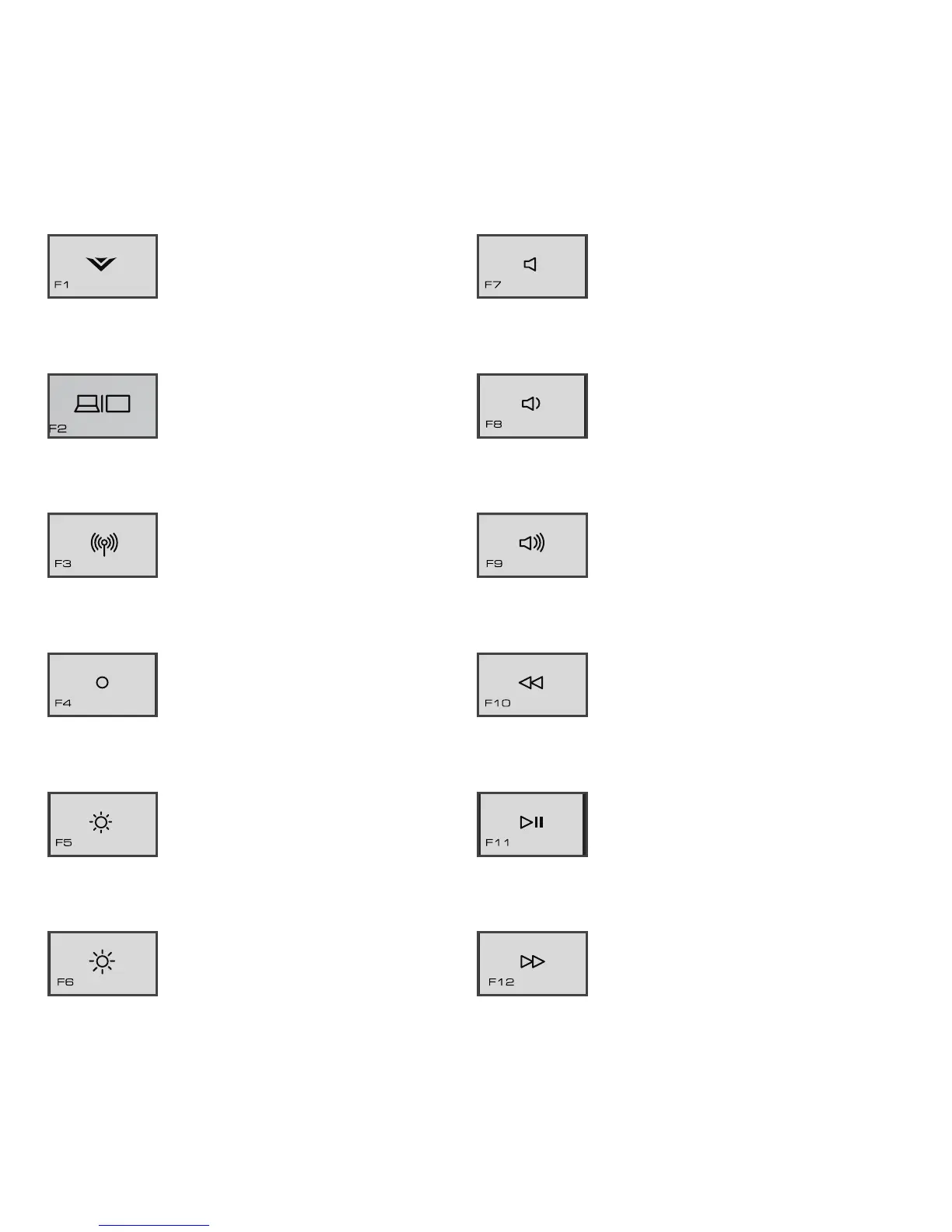
V Key - Lauch VIZIO
experience page. (Internet
access required)
Display Toggle - Switch
between PC screen and
external monitor or TV.
Wireless - Turn the wireless
on or off. This key affects
both WiFi and Bluetooth.
Brightness Off - Turn
brightness of Display
completely off. Press again
to return to previous setting.
Brightness Down -
Decrease the brightness of
the Display.
Brightness Up - Increase
the brightness of the
Display.
Mute - Turn speakers off or
on.
Volume Down - Decrease
loudness of speakers.
Volume Up - Increase
loudness of speakers.
Previous - When playing
media, go to the last
chapter or track.
Play/Pause - When playing
media, stop or resume
playback.
Next - When playing media,
advance to next chapter
or track.


 To Next Page