2
1
Getting Started
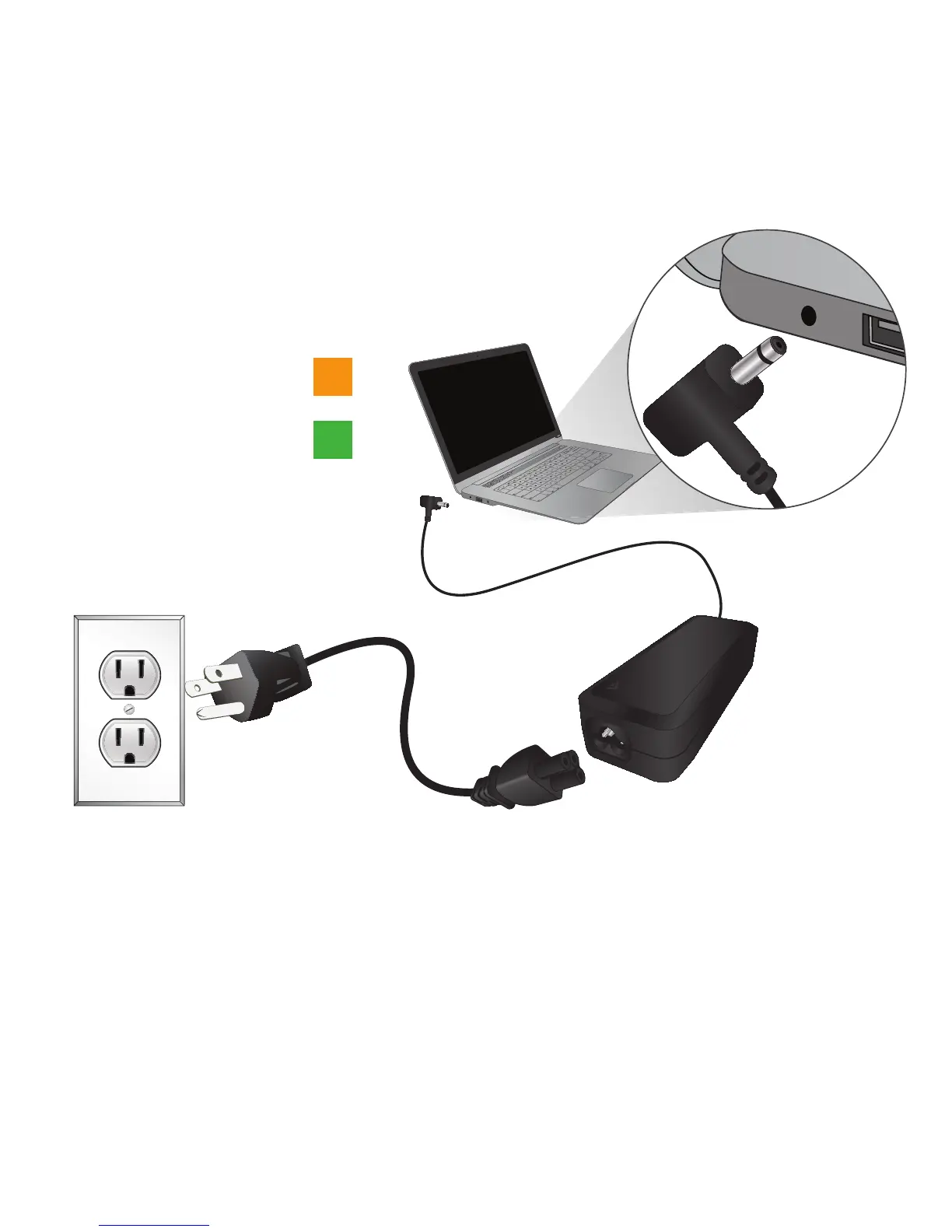
Connect the Power Cord to the AC Adapter, then connect
to the PC. Plug the Power Cord into an electrical outlet.
When light on connector is
orange, PC is charging.
When light on connector is
green, PC is fully charged.
IMPORTANT: Use only the VIZIO AC Adapter and Power cord with your PC. Using other adapters may cause damage to your PC.


 To Next Page