Controls & Connections
1
1
Chapter 1: Controls and Connections
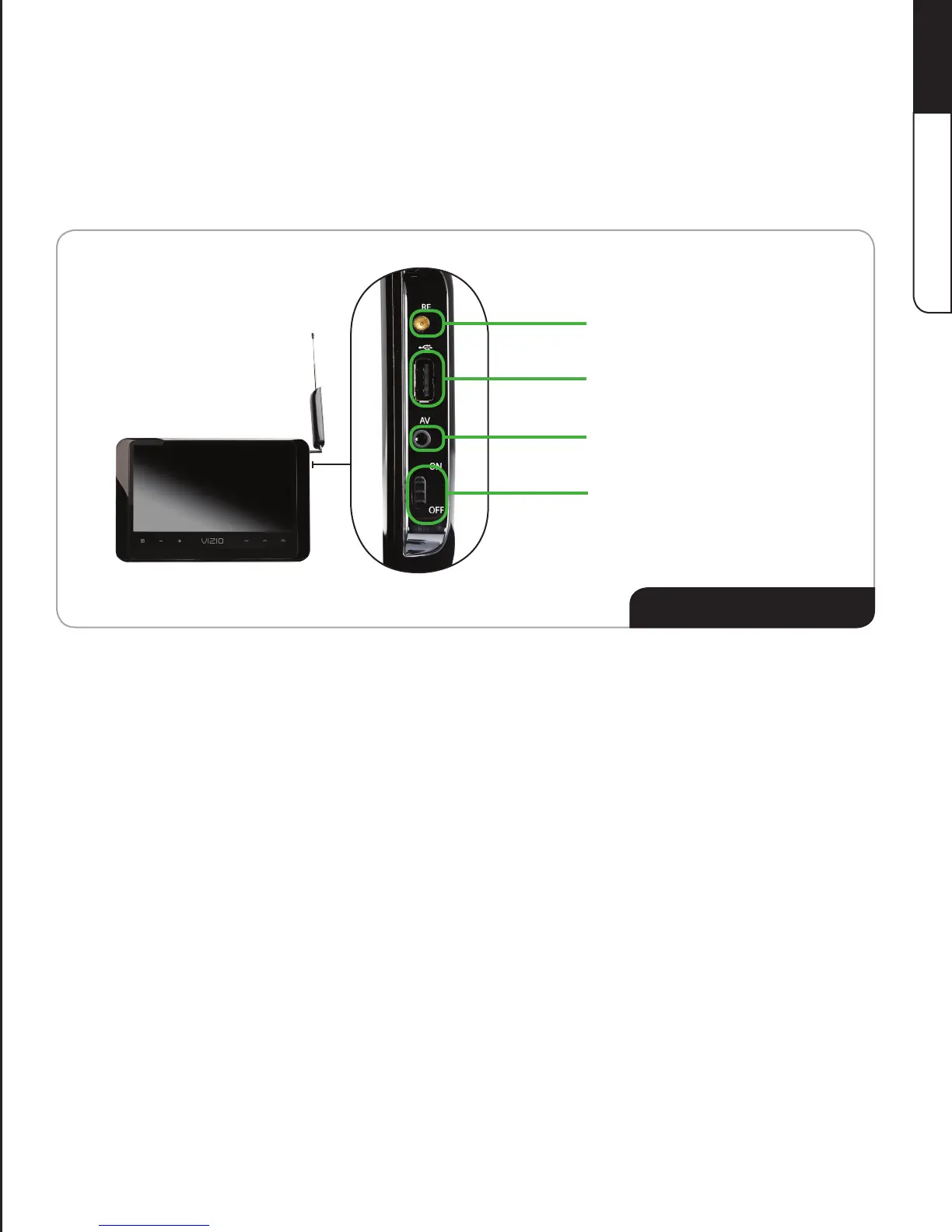
Right Side Detail
RF Adapter Port
USB Port
Composite AV Port
On/Off Switch
RF Adapter Port
Connect RF devices (use only the RF Adapter).
USB Port
ConnectUSBstoragedevicesforphotosharing.
Composite AV Port
Connect composite devices (use only the Composite AV Cable).
On/Off Switch Move switch to ON when using the DTV in battery mode.
Move switch to OFF when storing the DTV or using with the Power Adapter.
Before setting up your TV, take a few moments to familiarize yourself with the various controls
and connections. This will make the setup much faster and your experience with the TV much
moreenjoyable!


 To Next Page