EasyManua.ls Logo

Vizio VW37L HDTV20A - User Manual

Vizio VW37L HDTV20A
70 pages
Print Icon
To Next Page IconTo Next Page
Loading...
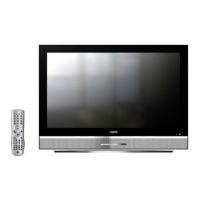
VIZIO VW37L HDTV20A User Manual
Version 11/19/2007 1
www.VIZIO.com
Dear VIZIO Customer,
Congratulations on your new VIZIO VW37L
HDTV20A High Definition LCD Television
purchase. Thank you for your support. For
maximum benefit of your set, please read these
instructions before making any adjustments, and
retain them for future reference. We hope you will
experience many years of enjoyment from your
new VIZIO VW37L HDTV20A.
For assistance, please call (949) 428-2525 or e-
mail us at
techsupport@vizio.com
.
To purchase or inquire about accessories and
installation services for your VIZIO LCD HDTV,
please visit our website at
www.VIZIO.com
or
call toll free at 888-VIZIOCE (888-849-4623).
We recommend you register your VIZIO VW37L
HDTV20A either at our website
www.VIZIO.com
or fill in your registration card and mail it in. For
peace of mind and to protect your investment
beyond the standard warranty, VIZIO offers on-
site extended warranty service plans. These
plans give additional coverage during the
standard warranty period. Visit our website or call
us to purchase a plan.
Write down the serial number located on the back
of your VIZIO VW37L HDTV20A.
__ __ __ __ __ __ __ __ __ __ __ __ __ __
Purchase Date _____________________
VIZIO is a registered trademark of V, Inc.
HDMI logo and “High Definition Multimedia Interface” are registered trademarks of HDMI Licensing LLC.
Manufactured under license from Dolby Laboratories
Dolby and the double-D symbol are trademarks of Dolby Laboratories


Table of Contents

Questions and Answers

Summary

Regulatory Safety Certifications

Product Safety Compliance

Ensuring product design and testing meets regulatory safety standards.

Television Antenna Connection Protection

Installation Preparation

Installation Preparation

Guidelines for preparing the TV for installation and proper ventilation.

Chapter 1 Basic Controls and Connections

1.3 Rear Panel Connections

Identification and description of all rear panel input/output connectors.

1.4 VIZIO Remote Control

Overview of remote control functions, battery insertion, range, and precautions.

Chapter 2 Connecting Equipment

2.3 Connecting Your HDTV Set-Top Box

Steps for connecting HDTV set-top boxes via HDMI, DVI, and Component.

2.5 Connecting Your DVD Player

Connecting DVD players using HDMI, DVI, component, S-Video, or composite.

2.8 Connecting a PC Computer

Connecting a PC computer using RGB (VGA) and audio cables, including PC resolutions.

2.10 Basic LCD HDTV Start Up

Initial setup process, language selection, and channel tuning.

Chapter 3 Advanced Adjustment of HDTV

3.2 DTV; TV Input Picture Adjustment

Adjusting picture settings like Picture Mode, Backlight, Brightness, Contrast, Color, Tint, Sharpness, Color Temperature, Advanced Video.

3.3 DTV; TV Input Audio Adjustment

Adjusting audio settings including Volume, Bass, Treble, Balance, Surround, Speakers, and Lip Sync.

3.6 DTV; TV Input Parental Control

Setting up channel blocking, TV/Movie ratings, and managing passwords for parental control.

3.14 PC Input Picture Adjustment

Picture and audio adjustments, setup, and resolutions for PC input.

Chapter 4 Maintenance and Troubleshooting

4.2 Troubleshooting Guide

Common problems and their solutions for TV operation and display issues.

4.3 Telephone & Technical Support

Contact information and procedures for VIZIO technical assistance and warranty service.

Chapter 5 Miscellaneous Information

5.1 Specifications

Detailed specifications for the VIZIO VW37L HDTV20A.

Vizio VW37L HDTV20A Specifications

General IconGeneral
Screen Size37 inches
Resolution1366 x 768
Display TypeLCD
Aspect Ratio16:9
HDMI Ports2
Component Video Inputs1
Composite Video Inputs1
Response Time8 ms
Contrast Ratio1000:1
Brightness500 cd/m²
Speakers2 x 10W
Power Consumption150W
Audio Output2 x 10W
Dynamic Contrast Ratio10000:1
Viewing Angle178°
InputsHDMI, Component, Composite

Related product manuals