Possible Problems & Solutions
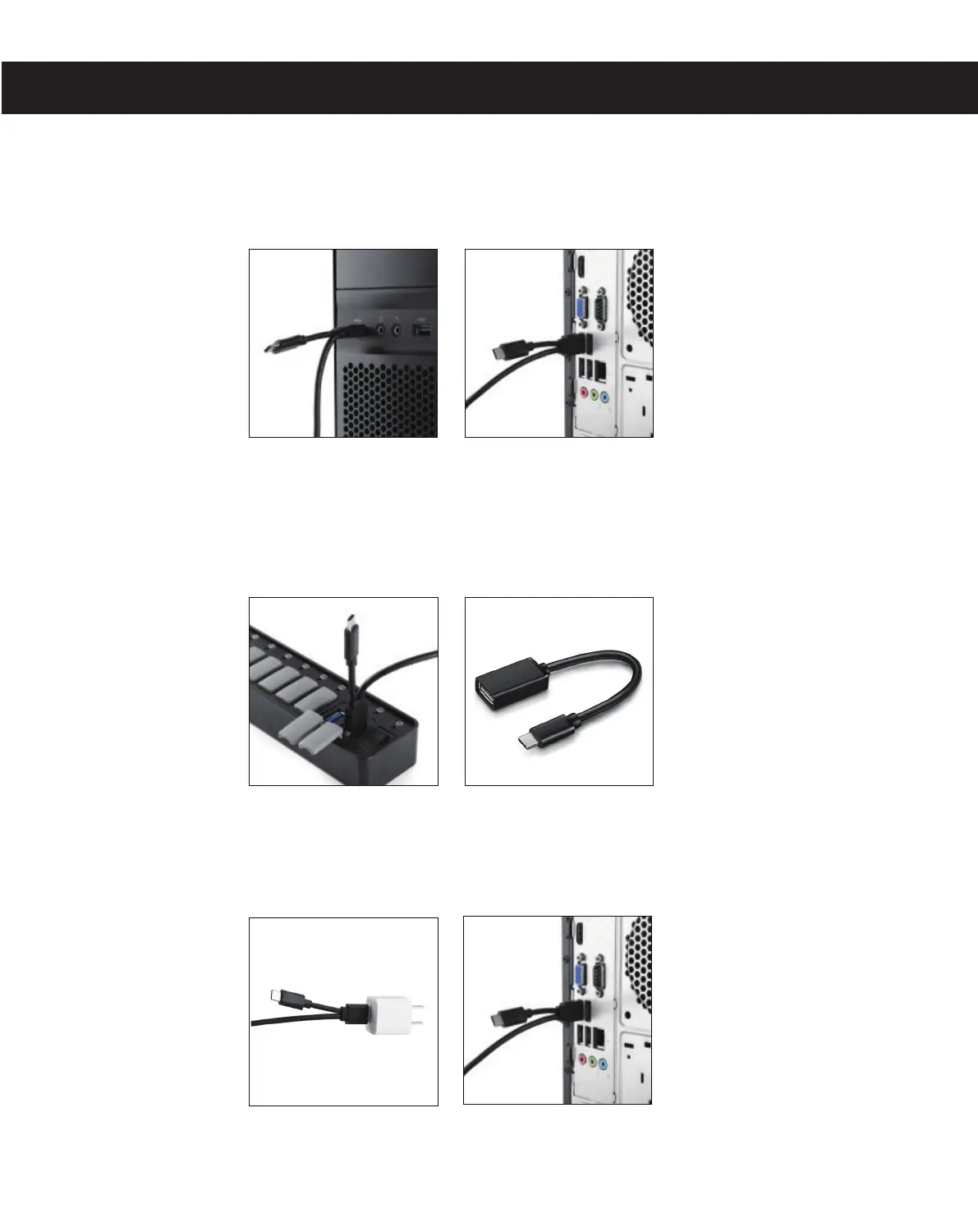
1. For the desktop computer, please plug the USB cable to the USB interface behind
the computer host(Pic 2), rather than the front one (Pic 1).
2. When the input ports are not enough of your computer, you should connect the CD
to the computer input port directly, don’t use other device to connect, such as USB
HUB(Pic 1 & Pic 2).
3. Note that CD Drive cannt be used through the adapter in order to make sure of
sufficient power supply.
(Pic 1) (X) (Pic 2) (√)
(Pic 1) (X) (Pic 2) (X)
(Pic 1) (X) (Pic 2) (√)


 To Next Page