EN
C
D
C
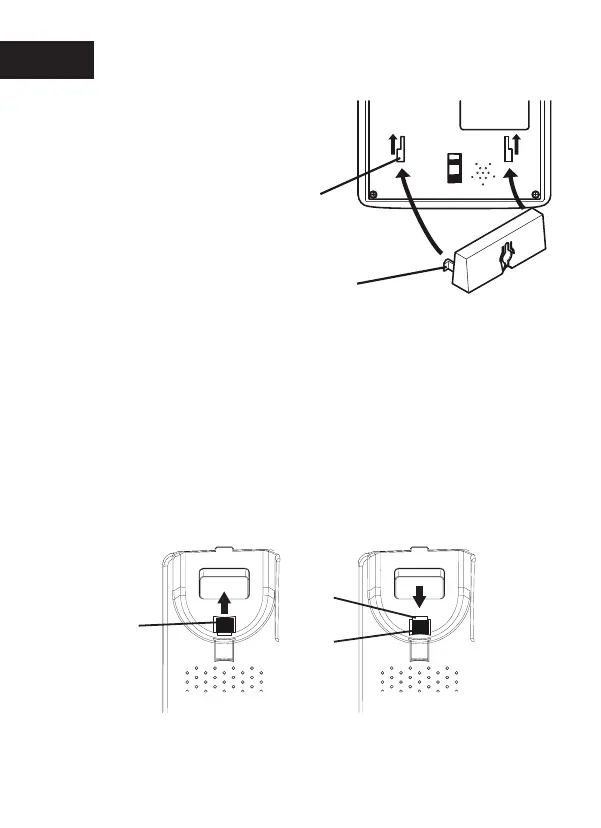
Position the phone so that the screws on the
wall fit into the slots in the bracket, then slide the
phone downwards until it is hanging on the
screws.
Remove the handset hook (C) by pushing it
upwards, and insert it in the reversed position so
that the small tab (D) protrudes. The hookwill
now keep the handset in the cradle whenthe
phone is wall mounted.
4.
5.
6.
P.16
Fit the guide tabs (A)
on the bracket into the
slots (B) on the back
of the telephone, then
slide the bracket
upwards until it snaps
into place.
7. Replace the handset, on the hanging peg, in the
hook switch


 To Next Page