Need help?
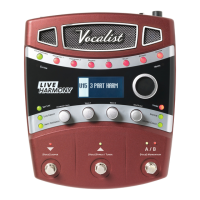
Do you have a question about the Vocalist Live 5 and is the answer not in the manual?
Essential instructions for safe operation, covering electrical, environmental, and handling precautions.
Outlines the limited warranty, coverage period, and consumer responsibilities for the Vocalist Live 5.
Provides instructions on how to modify and save custom presets for the device.
Details parameters for the Preamp effect, including Type, Gain, De-esser, Resonance, and Band Center.
Explains parameters for the Comp/Gate and EQ effects, covering compression, gating, and tone shaping.
Details the Pitch Correct effect, including scale types, modes, and key selection.
Explains advanced parameters for pitch correction: Key, Window, Rate, and Amount.
Describes Persona and Modulation effects, including types, amounts, and speeds.
Explains parameters for Reverb (Type, Level, Tone) and Delay (Type, Level, Damping).
Covers remaining Delay parameters and Guitar Mix effects (Reverb, Mod).
Step-by-step guide to perform a factory reset, restoring all settings to their original state.
Addresses common problems like no sound, poor harmony tracking, and signal level problems.
Covers quiet/loud signal problems for guitar and vocals.
 General
| Brand | Vocalist |
|---|---|
| Model | Live 5 |
| Category | Recording Equipment |
| Language | English |

 To Next Page