Loading a Task onto a
Terminal/Device
You can assign a task to a terminal or device using the terminal/device itself. You also can
assign a task to a terminal/device group using management software. For information, see the
online help for the management software installed at your site.
If your site is set up with more than one task, assigning a task can be done only when the
terminal is in radio range. If you have trouble assigning a task, move to a spot that is within
radio range.
Note: If you wish to use any language instead of or in addition to English-US, you must make
sure
• The appropriate firmware was installed with the management software.
• The appropriate firmware is loaded onto the terminal.
• The task version language you are using matches the text-to-speech firmware
language on the terminal/device.
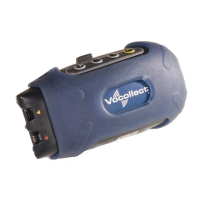
T-Series Terminals
To load a task to a terminal using the terminal itself:
1. Make sure the terminal is either on or sleeping.
The LED indicator should be either solid green or blinking green.
2. Press the operator button.
The terminal says, "Current operator is (operator name). Select menu item."
3. Press the + button or — button until the terminal says, "Change task." Then, press the
operator button.
4. The terminal says, "Please wait. Loading task list."
Note: While the terminal is retrieving the task list, the LED indicator blinks red. If a
transaction during the assign task procedure takes more than six seconds, the
terminal will begin to beep, letting the operator know the system is busy
attempting an operation.
If the task list is not found, the terminal says, "No task list file found" and goes to
sleep.
If a task list is found, the terminal then says, "Current task is (task name). Select task."
5. Press the +/— buttons until the terminal says the name of the task that you want to
use.
Note: You can exit from the menu without loading the new task by pressing the
yellow play/pause button before you press the operator button.
6. Press the operator button to select the particular task.
When the task is done loading, the terminal says, "Task load complete."
Handheld Devices
To load a task using the buttons on the device screen, perform the following steps:
1. Make sure the voice engine is either on or sleeping.
The status indicator should be either solid green or blinking green.
2. Tap the operator button
on the device screen.


 To Next Page
 Loading...