1 2
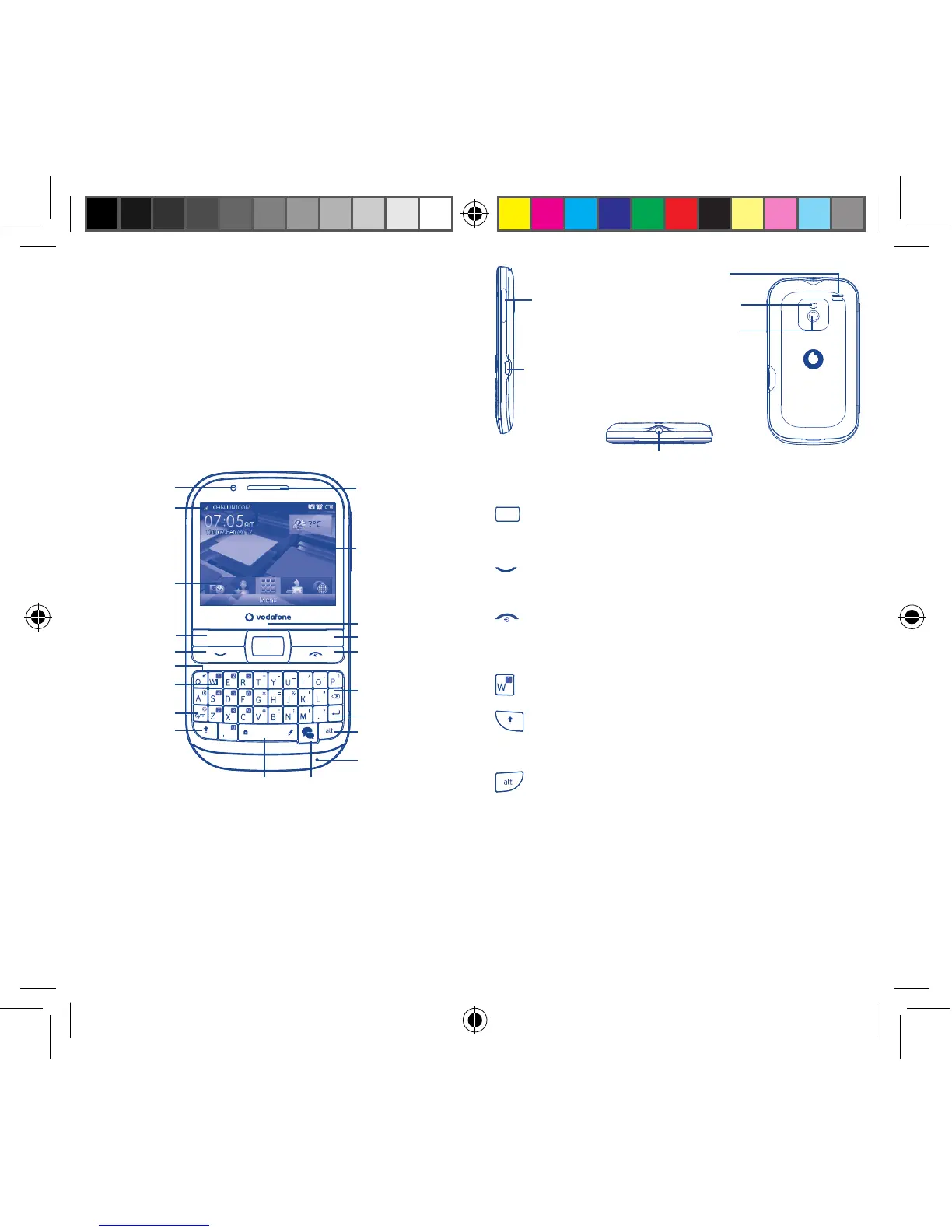
Your mobile1
Keys and connectors1.1
Space key IM key
Notification
light
Status bar
Home screen
Widget bar
Send key
Sym key
Shift key
Voicemail key
Silence key
Left softkey
Alt key
Microphone
Enter key
Delete key
End key
Right softkey
Navigation key/
OK key
Earpiece
For more information about how to use the phone, please go to
www.vodafone.com/vodafonechat to download complete user manual.
Moreover, from the website you can also consult FAQ, realize software
upgrade, etc.
Flick to go left/right/up/down•
Press to confirm an option (press the middle of •
the key)
Pick up/Send a call•
Enter Call log•
Press: End a call•
Return to the Home screen
Press and hold: Power on/off•
Press and hold: Access your voicemail•
Press once: Input a capital letter•
Press twice: Lock the keyboard in capital letter •
input mode
Press once: Input a top-half key character•
Press twice: Lock the keyboard in top-half key •
input mode
Alt + B: Access Bluetooth
Alt + J: Access Apps
Alt + M: Access Music
Alt + P: Access Device sound profiles
Headset
connector
micro-USB connector
Volume key
Camera
Flash
Loudspeaker
IP4347_VF655_VF655W_QG_Eng_GB_Black_25_120827.indd Sec1:1-Sec1:2IP4347_VF655_VF655W_QG_Eng_GB_Black_25_120827.indd Sec1:1-Sec1:2 2012-8-27 10:44:552012-8-27 10:44:55



 To Next Page