5 6
Wi-Fi disconnected.
Wi-Fi connected.
Line switching
(1)
: indicates the selected line.
Vibrate and ring mode: your phone vibrates and rings.
Music active.
GPRS connected.
Edge in use.
Edge connected.
Music player active.
Vibration mode.
SMS unread.
MMS unread.
Sending MMS.
Flight mode.
Widget bar1.2.2
Widgets are convenient shortcuts for quick access from the Home
screen.
Lock/Unlock screen1.2.3
To protect your phone and privacy, you can lock the screen by pressing
and holding the Space key.
To unlock the screen, press
, then the Space key.
Main menu 1.2.4
To access the main menu screen, select "Menu" from the Home screen.
(1)
Depending on your network operator.
Getting started2
Set-up2.1
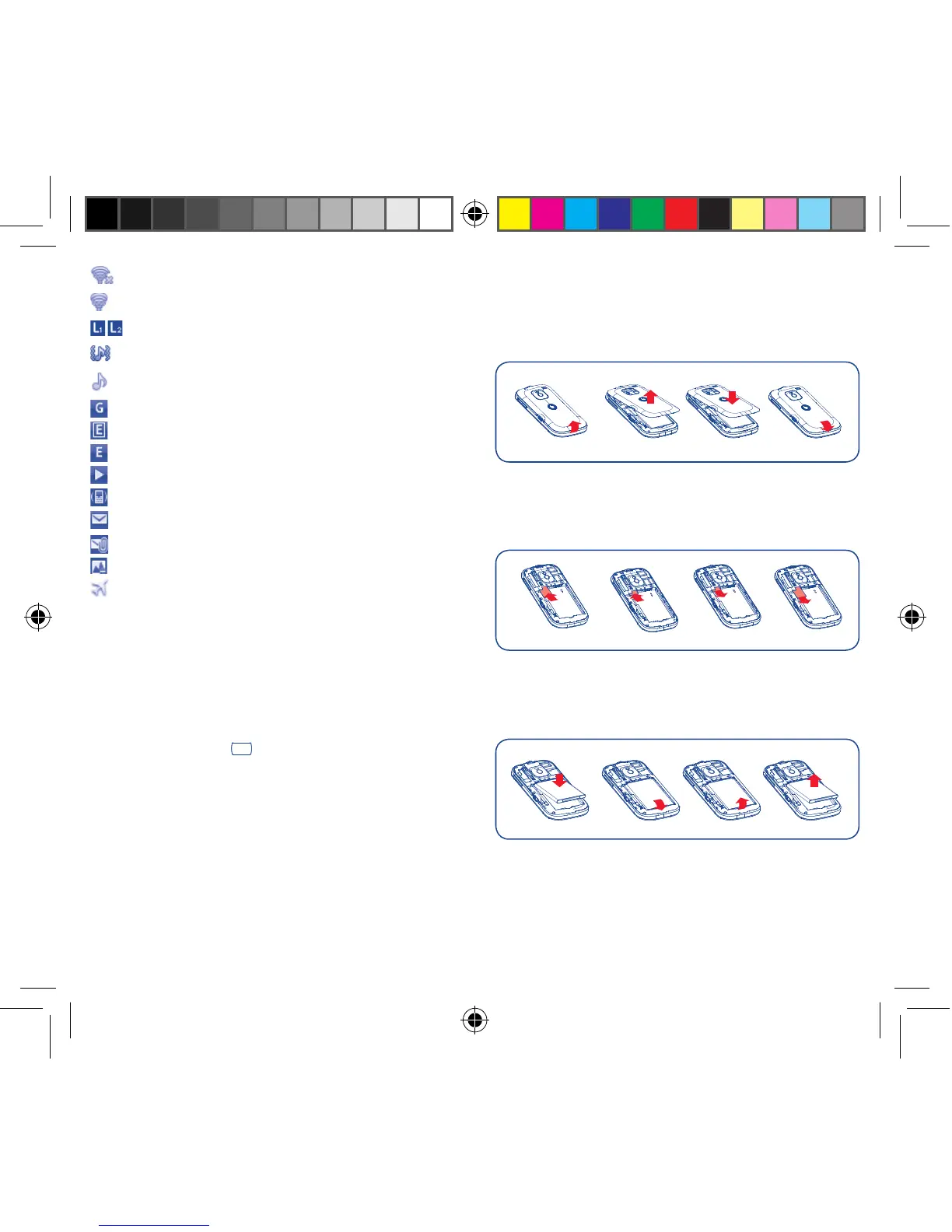
Removing or installing the back cover
Inserting or removing the SIM card
You must insert your SIM card to make phone calls. Please power
off your phone and remove battery before inserting or removing the
SIM card.
Place the SIM card with the chip facing downwards and slide it into its
housing. Make sure that it is correctly inserted. To remove the card,
press it and slide it out.
Installing or removing the battery
Insert and click the battery into place, then close the telephone •
cover.
Unclip the cover, then remove the battery.•
IP4347_VF655_VF655W_QG_Eng_GB_Black_25_120827.indd Sec1:5-Sec1:6IP4347_VF655_VF655W_QG_Eng_GB_Black_25_120827.indd Sec1:5-Sec1:6 2012-8-27 10:44:552012-8-27 10:44:55



 To Next Page