59 60
Text input mode/character table22
There are two text entry methods that can be used to write messages:
Normal •
Predictive mode•
Normal
This mode allows you to type text by choosing a letter or a sequence of characters.
Predictive mode
This mode can perform predictive input in the hardware keypad and supports multi-
language input.
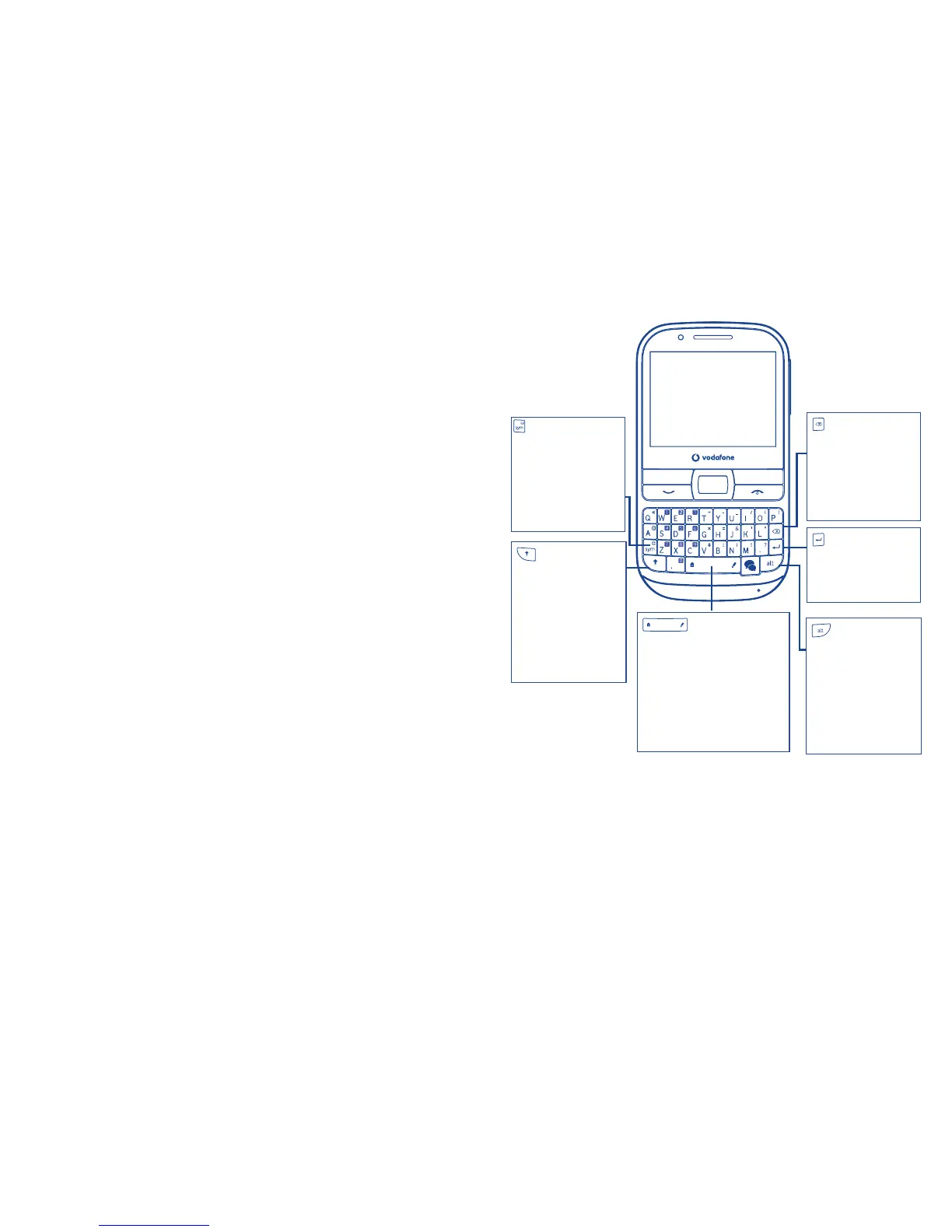
Keypad inputting
key:
- Press once:
Input a capital
character
- Press twice:
Lock the keyboard
in capital letter
input mode
key:
- Press:
Delete a word or
character
- Press and hold:
Delete all
key:
- Press:
Enter a space
- Press and hold:
Access text input language list
- Hold down Alt key, then
press Space key to select
input method
key:
- Press once:
Input a top-half key
character
- Press twice:
Lock the keyboard
in top-half key input
mode
key:
- Confirm an option
- Enter the next line
key:
- Enter symbol table
- Hold down Alt key,
then press Sym key
to enter emoticon
table



 To Next Page