13 14
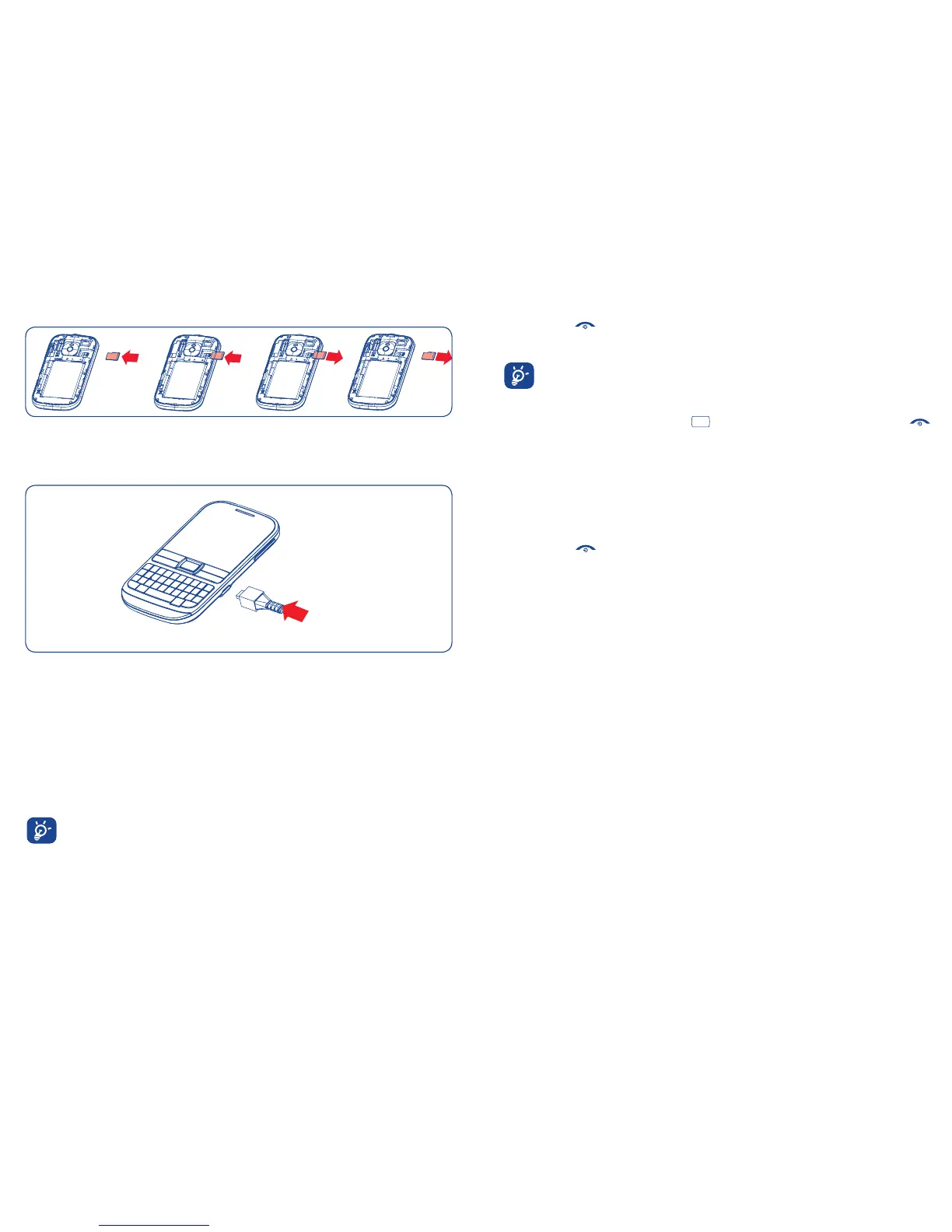
Installing and removing the memory card (microSD card)
Insert the microSD card with its golden contact facing downwards into the slot until it is
locked in place. To remove it, gently push the card in until it unlocks.
Charging the battery
Connect the battery charger to your phone and mains socket respectively.
If the battery is flat, it may take around 20 minutes to display the battery charger •
indicator on the screen.
Be careful not to force the plug into the socket.•
Make sure the battery is correctly inserted before connecting the charger.•
The mains socket must be near to the phone and easily accessible (avoid electric •
extension cables).
When using your phone for the first time, charge the battery fully (approximately 3 •
hours). The charge is complete when the animation stops.
To reduce power consumption and energy waste, when battery is fully charged,
disconnect your charger from the plug; switch off Bluetooth or background-
running applications when not in use; reduce the backlight time, etc.
Power on your phone2.2
Hold down the key until the phone powers on, type in your PIN code if necessary. The
main screen is displayed.
If you do not know your PIN code or if you have forgotten it, contact your
network operator. Do not leave your PIN code with your phone. Store this
information in a safe place when not in use.
If Broadcast SMS are displayed, use the
key to browse through them or press the
to return to the Home screen.
Set up your phone for the first time
The first time you power on the phone, you are required to adjust initial basic settings. You
can also change your settings by selecting "Settings" on the main menu.
Power off your phone2.3
Hold down the key from the Home screen.



 To Next Page