5
Note: Every window in
the Mobile Wi-Fi web
UI application has this
same standard layout.
Context-sensitive help
for each window is
always available at the
bottom of the window.
Sometimes an
additional Menu bar
will appear on the left
of the window.
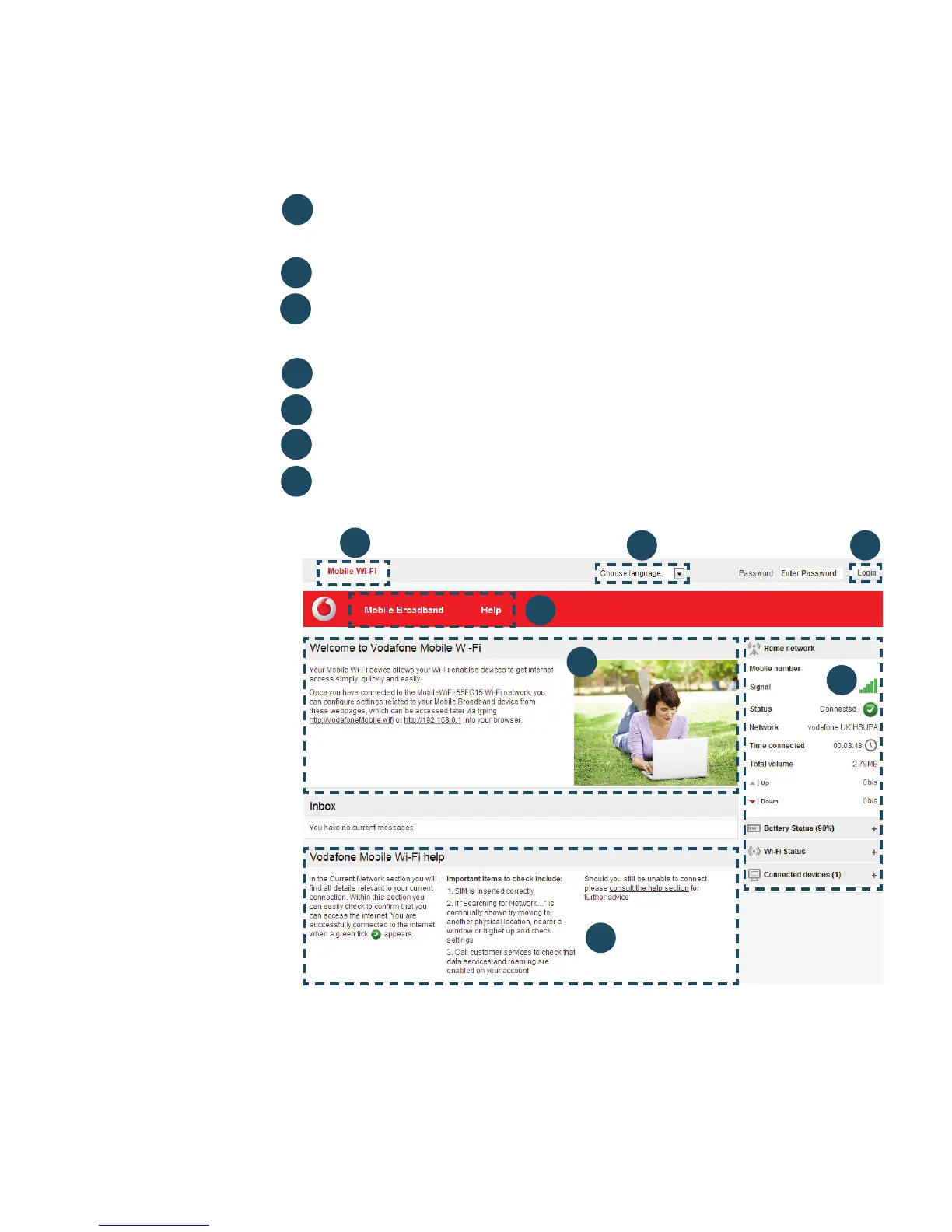
Navigation tabs: Select Mobile Wi-Fi, Storage, SMS or
Account view
Navigation bar: Select an area within each view
Current network panel: Status of mobile broadband network
connection, battery and Wi-Fi status and connected devices
Content area: Content for current area
Context help: Context-sensitive help for current area
Language selection: Defaults to browser language
Login/Logout: For advanced confi guration options. Default
password is ‘admin’
Mobile Wi-Fi
web UI
application
screen
4
5
6
7
3
1
2
4
5
3
6
1
2
7



 To Next Page