19 20
Remove
Touch and hold the item to be removed to activate the Move
mode, drag the item up to the top of Remove icon, and release
after the item turns red.
Create folders
To make it easier to organise apps and shortcuts on the Home
screen and the Favourite tray, you can add them to a folder by
stacking one item on top of another. To rename a folder, open it
and touch the folder’s title bar to input the new name.
Wallpaper customisation
Touch and hold an empty area on the Home screen or go to
Settings > Display > Wallpaper to customise your wallpaper.
Volume adjustment1.3.6
Using volume key
Press Volume key to adjust the volume. To activate the vibrate
mode, press the Volume down key until the phone vibrates.
Press the Volume down key once more to activate the silent
mode.
Using Settings menu
Drag down the notification panel and touch
and then the
settings icon to enter Settings, then touch Sound, you can
set the volume of calls, notification, system and etc. to your
preference.
Text input2
Using the onscreen keyboard2.1
Onscreen keyboard settings
Touch the Application tab from the Home screen, select
Settings > Language & input, then touch the Settings icon
on the right of Google keyboard.
Adjust the onscreen keyboard orientation
Turn the phone sideways or upright to adjust the Onscreen
Keyboard orientation. You can also adjust it by changing the
settings (go to Settings > Display > Orientation).
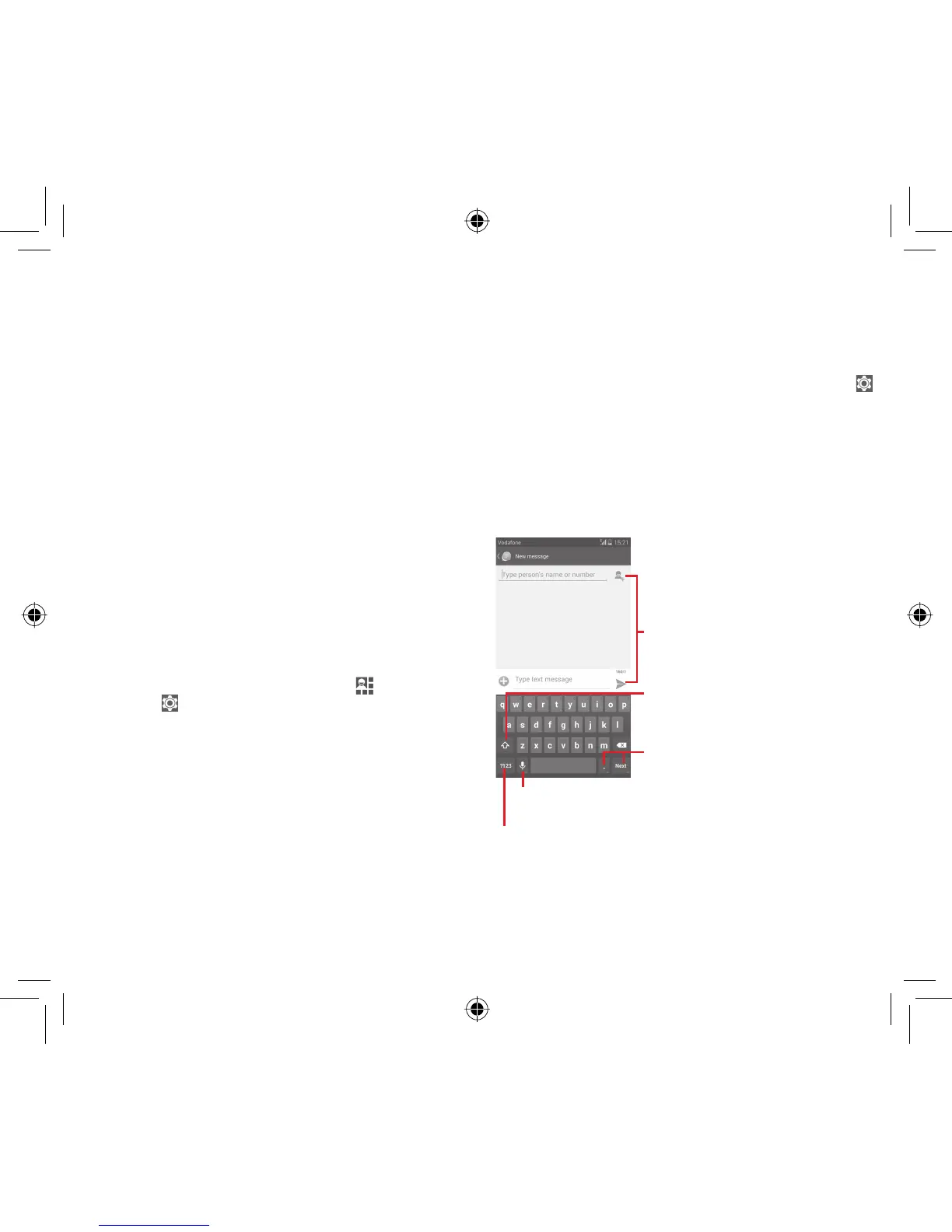
Google keyboard2.1.1
Touch to switch between the symbol and numeric keyboard
Touch & hold, then select to enter symbols/
emoticons
Touch to enter text or numbers
Touch & hold to show input options; when Wi-Fi or data connection is
on, touch to enter voice input
Touch to switch between "abc/Abc" mode;
Touch & hold to switch between "abc/
ABC" mode
IP4907_VF985N_UM_Eng_GB_09_140528.indd Sec2:19-Sec2:20IP4907_VF985N_UM_Eng_GB_09_140528.indd Sec2:19-Sec2:20 2014-5-28 15:05:012014-5-28 15:05:01



 To Next Page