29 30
Dual mic noise reduction•
Mark the checkbox to turn on dual mic for noise reduction.
Quick responses•
Touch to edit quick responses which will be used when you reject
a call with messages.
TTY mode•
Touch to set TTY mode.
International dialing assist•
Mark the checkbox to activate.
Call log3.2
You can view your call history by touching from the Phone
screen to view call history in categories of Incoming calls,
Outgoing calls, and Missed calls.
Touch a contact or number to view information or further
operations.
You can view detailed information of a call, launch a new call
or send messages to a contact or number, or add numbers to
People (only available for unsaved phone numbers), etc.
Touch the photo
to open the Quick Contact panel.
To clear the entire call memory, touch key and Delete.
People 3.3
You can view and create contacts on your phone and synchronise
these with your Gmail contacts or other apps on the web or on
your phone.
When using People for the first time you are asked to
add new contacts, import contacts from your SIM card
or synchronise contacts from other app accounts to
your phone.
View your contacts3.3.1
To access People app, touch the Application tab on the Home
screen, then select People.
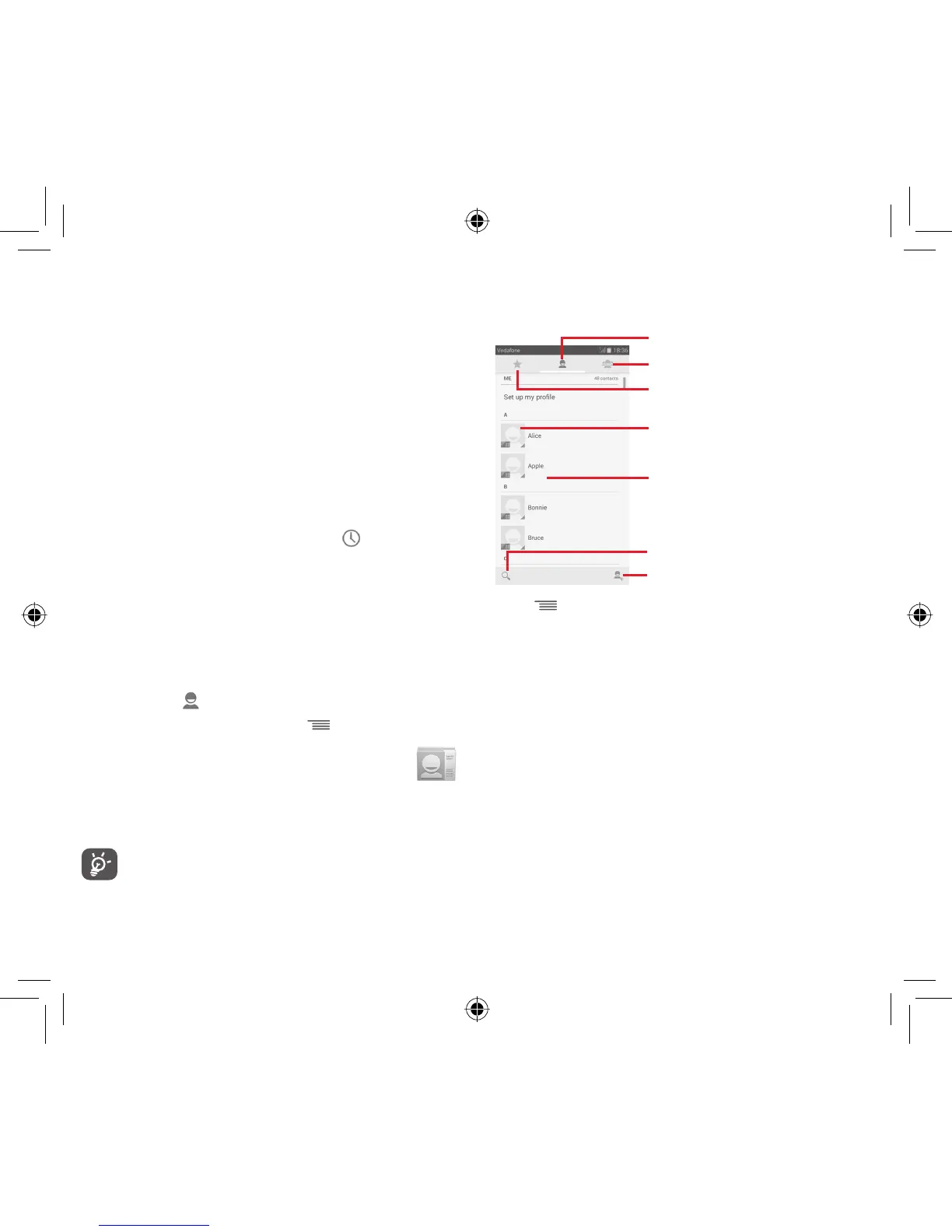
Touch icon to open Quick Contact panel
Touch to view the contact’s detailed
information
Touch to view your favourite contacts
Touch to view your contact groups
Contact list
Touch to add a new contact
Touch to search in Contacts
Touch key to display contacts list option menu.
Following actions are enabled:
Delete contact•
Select and delete unwanted contacts.
Contacts to •
display
Choose contacts to display.
Import/Export•
Import or export contacts between phone,
SIM card, and microSD card, or share
contacts.
Accounts•
Manage the synchronisation settings for
different accounts.
Settings •
Access to contact display settings.
Share visible •
contacts
Share contacts with others by sending
the contact’s vCard to them via Bluetooth,
Email, SMS, etc.
IP4907_VF985N_UM_Eng_GB_09_140528.indd Sec2:29-Sec2:30IP4907_VF985N_UM_Eng_GB_09_140528.indd Sec2:29-Sec2:30 2014-5-28 15:05:032014-5-28 15:05:03



 To Next Page