49 50
Touch and hold an already existing alarm and touch
to delete
the selected alarm.
To adjust alarm settings5.2.2
Touch key from Alarms screen. The following options will be
available under Settings:
CLOCK
Style•
Touch to set Analog or Digital style.
Automatic •
home clock
Touch to set home clock while travelling
outside.
Home time •
zone
Touch to set home time zone.
ALARMS
Silence after•
Touch to set time silence.
Snooze length•
Touch to choose length of snooze.
Alarm volume•
Touch to set alarm volume.
Volume buttons•
Touch to choose Snooze, Dismiss or Do
nothing as volume buttons.
Calculator 5.3
With Calculator, you can solve many mathematical problems.
To access this function, touch the Application tab from the Home
screen, then touch Calculator.
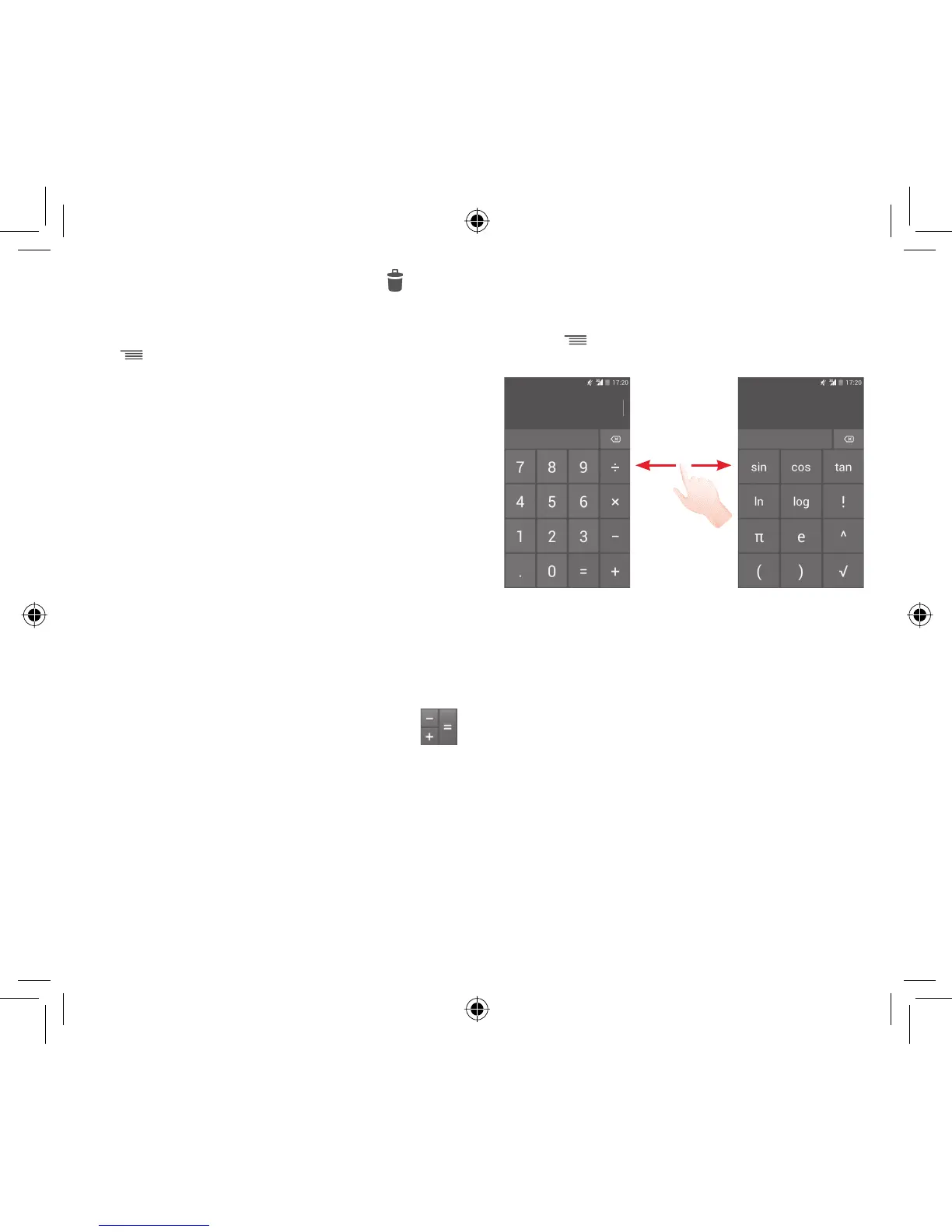
There are two panels available: Basic panel and Advanced panel.
To switch between panels, select one of the following two ways:
Touch and drag the basic screen to the left to open the •
Advanced panel.
Or touch •
key from basic panel to open option menu and
touch Advanced panel.
IP4907_VF985N_UM_Eng_GB_09_140528.indd Sec2:49-Sec2:50IP4907_VF985N_UM_Eng_GB_09_140528.indd Sec2:49-Sec2:50 2014-5-28 15:05:052014-5-28 15:05:05



 To Next Page