65 66
Google Play Store 7
(1)
Google Play Store is an online software store, where you can
download and install applications and games to your Android
Powered Phone.
To open Google Play Store:
Touch the Application tab from the Home screen, then touch •
Google Play Store.
For the first time you access Google Play Store, a screen with •
terms of service pops up for your attention, touch Accept to
continue.
Touch
key and then select Help to enter Google Play Store
help page for more information on this function.
(1)
Depending on your country and operator.
Multimedia applications8
Camera 8.1
Your mobile phone is fitted with a Camera for taking photos and
shooting videos.
Before using the Camera, please be sure to open the protective
lens cover before use to avoid it affecting your picture quality.
To access this function, touch the Application tab from the Home
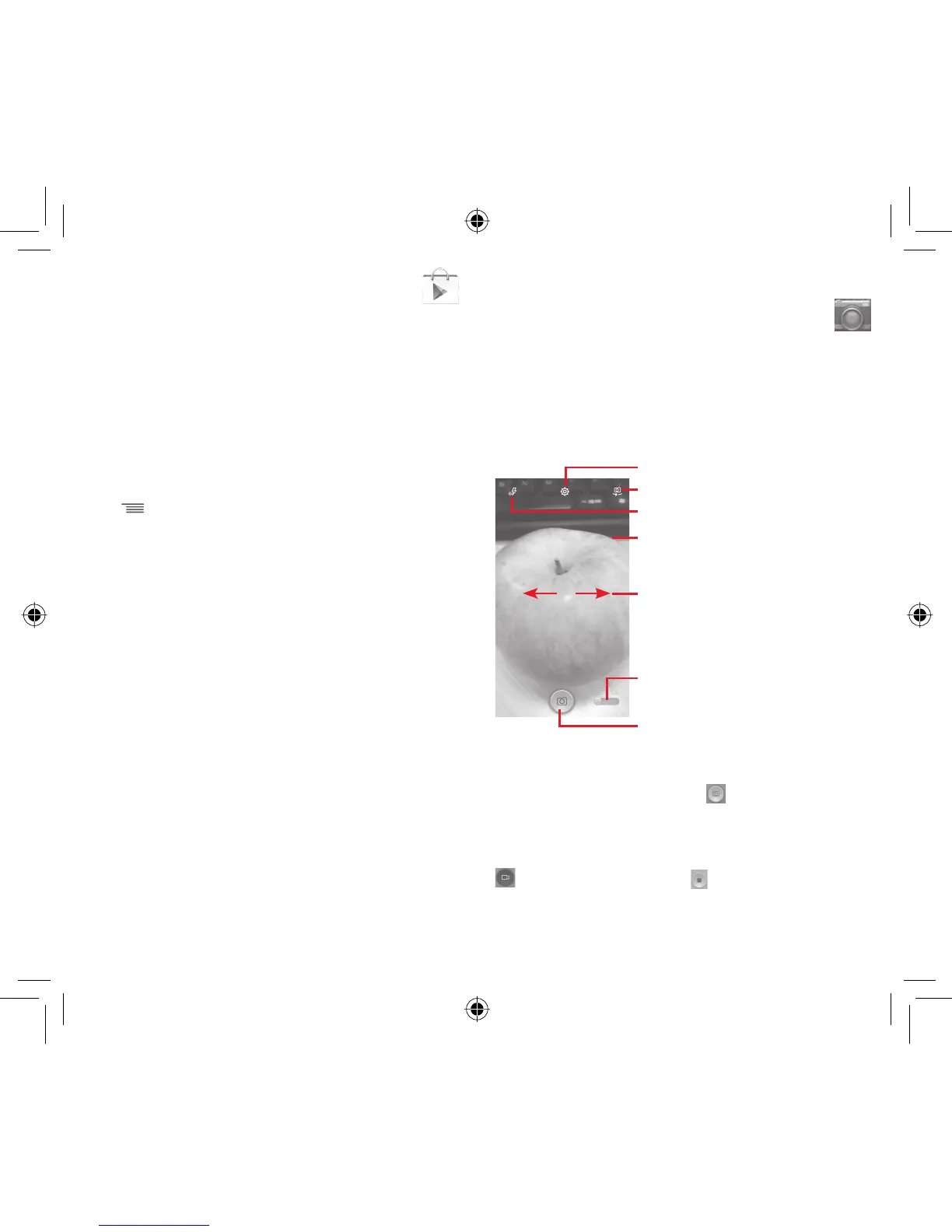
screen and then touch Camera.
Slide to switch to video recorder
Touch to open settings
Slide to view pictures or videos you have
taken
Double tap or Pinch/Spread to zoom in/out
Touch to switch between front/back camera
Touch to select flash modes
Touch to take a picture
To take a picture
The screen acts as the viewfinder. First position the object or
landscape in the viewfinder, touch
icon to take the picture
which will be automatically saved.
To shoot a video
First position the object or landscape in the viewfinder, and touch
icon to start recording. Touch to stop recording. The video
will be automatically saved.
IP4907_VF985N_UM_Eng_GB_09_140528.indd Sec2:65-Sec2:66IP4907_VF985N_UM_Eng_GB_09_140528.indd Sec2:65-Sec2:66 2014-5-28 15:05:072014-5-28 15:05:07



 To Next Page