9
1.3 Home screen
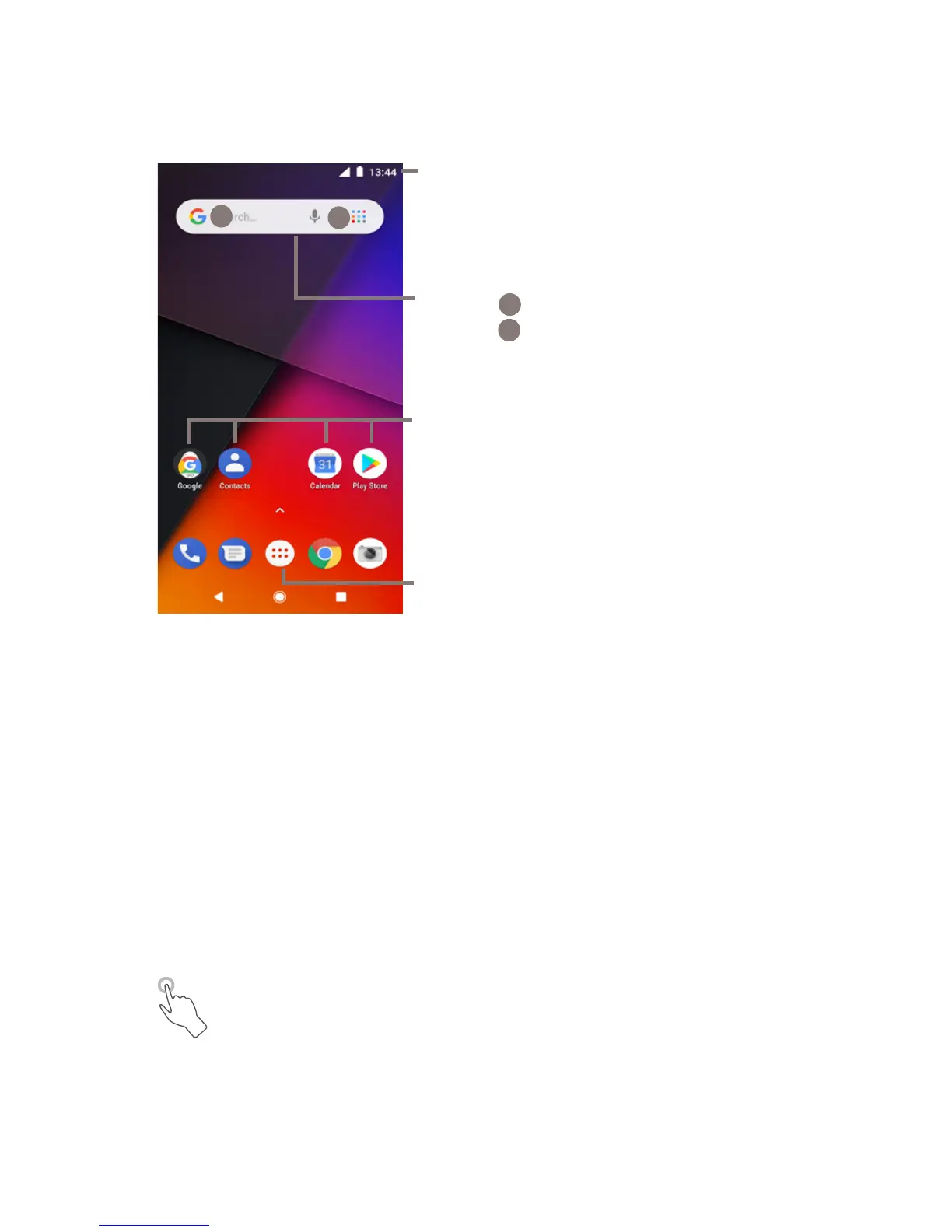
In Home screen, the bottom set of icons is always visible,
whichever of your Home pages you are on. This also includes
the Application tab, which shows all your available apps.
Status bar
• Status/Notification indicators
• Touch and drag down to open the
Notification panel
Application tab
• Touch to open All apps
Google Search bar
• Touch
a
to enter text search screen
• Touch
b
to enter voice search screen
Favourite tray apps
• Touch to enter the app
• Long press to move apps
a
b
The Home screen extends on the right side of the screen to
allow more space for adding apps, shortcuts, etc. Slide the
Home screen horizontally right to get a complete view of the
Home screen. The white line in the lower part of the screen
indicates which screen you are viewing more space for adding
apps, shortcuts, etc.
1.3.1 Using the touchscreen
Touch
To access an app, touch it with your finger.



 To Next Page