11
1.3.2 Status bar
From status bar, you can view both phone status (on the right
side) and notification information (on the left side).
Status icons
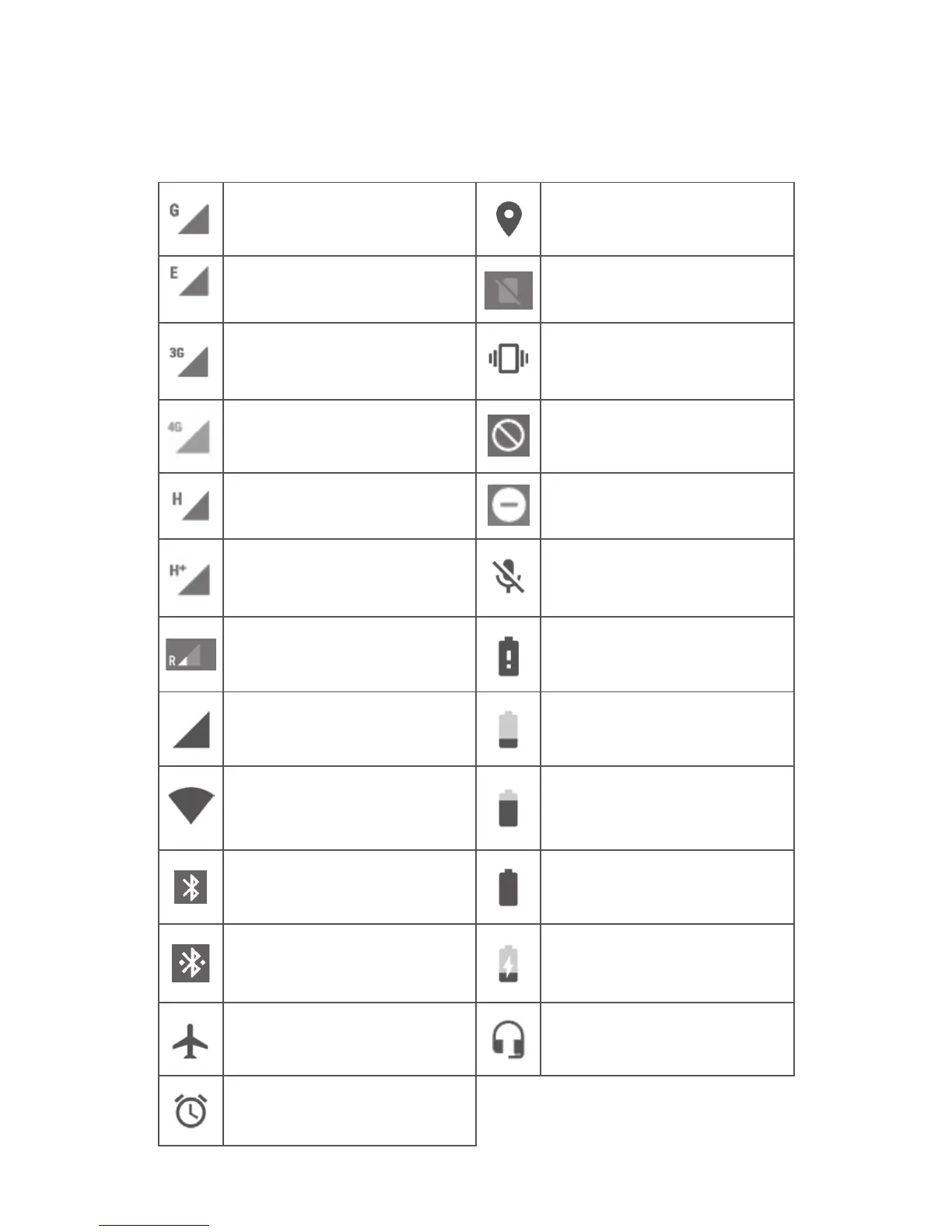
GPRS connected GPS is on
EDGE connected No SIM card inserted
3G connected Vibrate mode
4G connected Ringer is silenced
HSDPA (3G) connected Do not disturb mode
HSPA (3G) connected
Phone microphone
muted
Data roaming Battery is very low
Signal strength Battery is low
Connected to a Wi-Fi
network
Battery is partially
drained
Bluetooth is on Battery is full
Connected to a
Bluetooth device
Battery is charging
Flight mode Headset connected
Alarm is set



 To Next Page