67
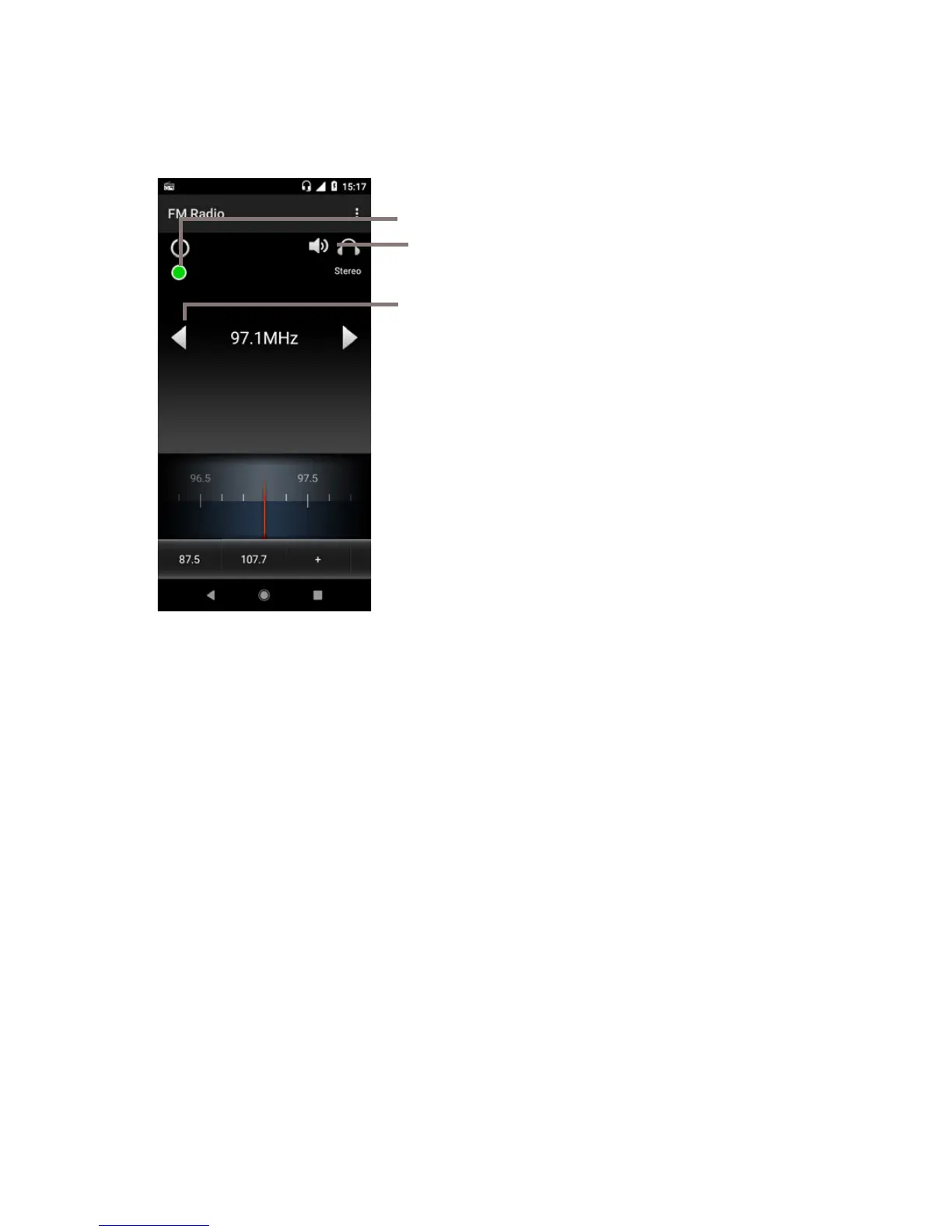
To listen to the radio, touch the Application tab from the Home
screen, then touch Radio.
Please insert a headset to listen to the radio. The headset is
used as an antenna for the radio.
Touch to go to next channel
Long press to search and go to the nearest
higher/lower frequency channel
Touch to use/unuse the earphone
Touch to add the current station to favourites.
Touch to save the recorder to file
Available options:
• Save channel
Save the current tuned station to the channels
list.
• Scan channels
Scan all channels.
• Delete
Delete the channel.
• Enter frequency
Enter the frequency manually.
• Station info
Mark the checkbox to view the station info.
• Start Recording
Turn on to save the recording.
• Sleep
Turn on to select auto-off sleep time.
• Exit
Turn off the radio and exit radio application.



 To Next Page