7
Inserting or removing the microSD card
Power off your phone before inserting or removing the microSD
card.
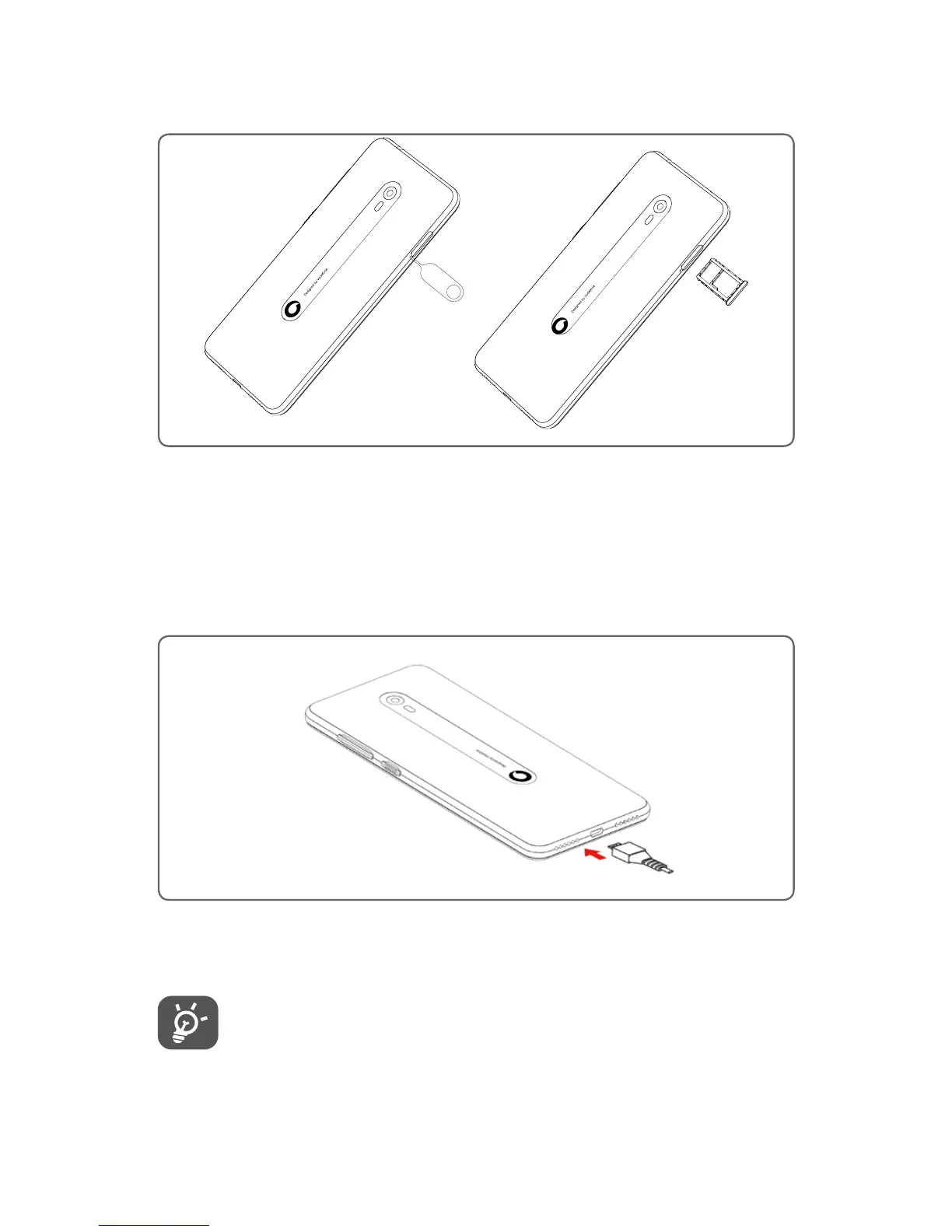
Use the pin to slide the card tray. Place the microSD card with
the chip facing downwards and slide it into its housing. Make
sure that it is correctly inserted. To remove the microSD card,
press and slide it out.
Charging the battery
To charge the battery, connect the charger to your phone and
mains socket. You can also charge your phone via a USB cable.
To reduce your phone’s power consumption, switch off
Wi-Fi, GPS, Bluetooth or apps running in the background
when not needed. In Settings you can also lower the
brightness of the screen, and shorten the length of time
before the screen goes to sleep.



 To Next Page