7
Before Turning on Your Vodafone Smart Tab
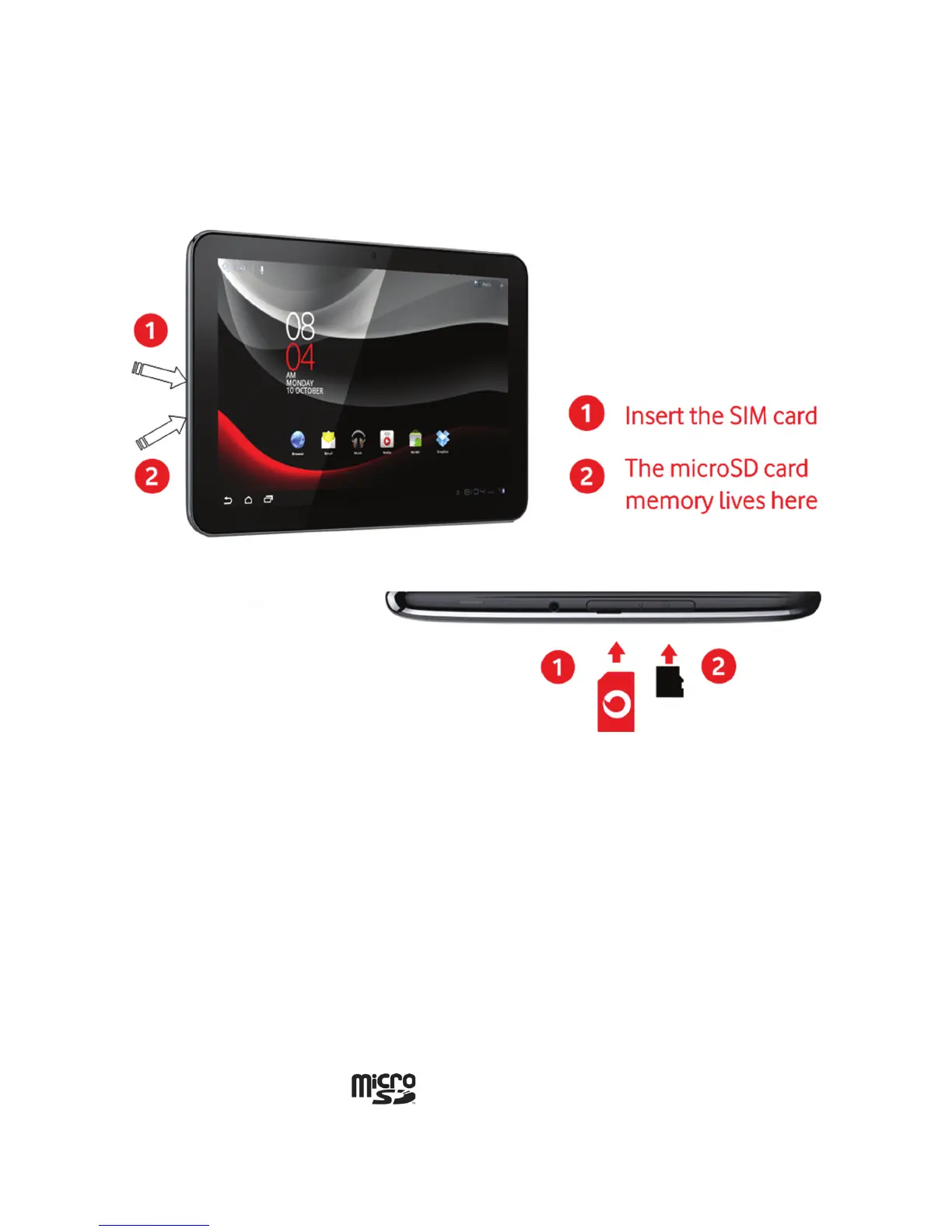
First, install the SIM card, microSD memory card as described below.
IMPORTANT! Power off your Smart Tab before installing or replacing SIM card.
Inserting the SIM card
Insert your SIM card into the SIM slot. There is a diagram showing the correct
orientation of the card printed above the SIM slot.
Notes:
•
Removing or inserting the SIM card while the device is switched on will lead to
a reboot.
Inserting the memory card
Insert your memory card into the memory card slot. There is a diagram showing the
correct orientation of the card printed above the memory card slot.
Notes:
•
The microSD logo is a trademark of the SD Card Association.



 To Next Page